Android Software
AI: labelled diagrams
As part of my page on Venus flytraps, I asked both ChatGPT and Gemini to draw labelled diagrams of a Venus Flytrap, as I thought that these might be useful in illustrating the parts of the plant.
Update. Francois has also found this topic interesting and has sent images to me from Grok and CoPilot, which I will also include in this discussion.
ChatGPT
The first diagram was one that ChatGPT offered to draw for me while talking about Venus Flytraps. This is a diagram (albeit not labelled) showing the trap. I include it to show ChatGPT's drawing capabilities.
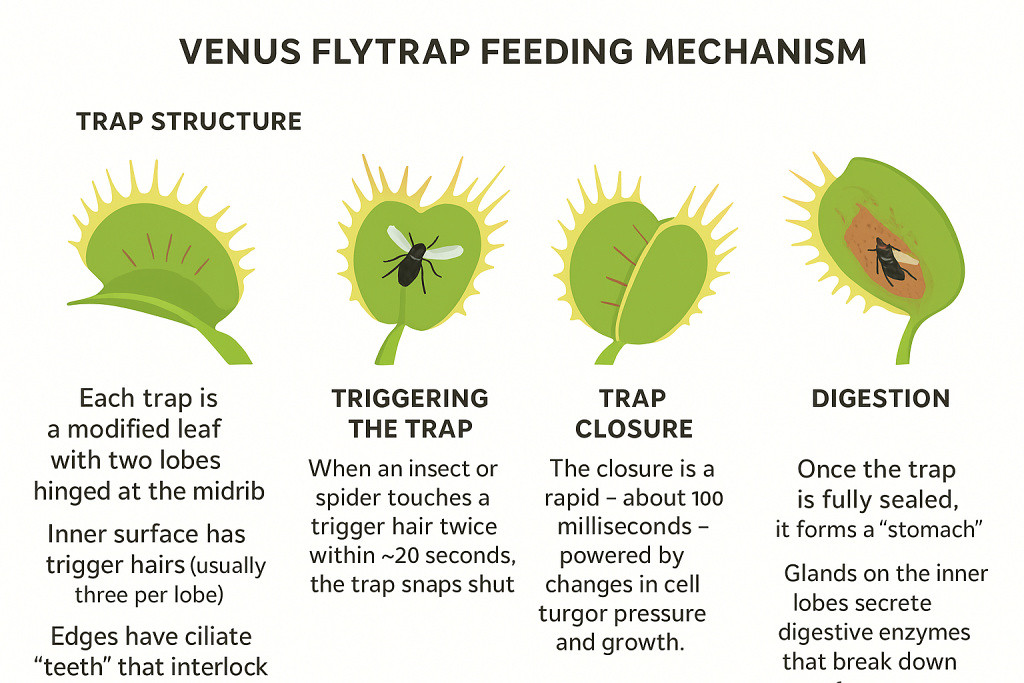
Fig 1: The trap of a Venus Flytrap from ChatGPT
In this diagram, the detail in the traps is sorely lacking. Also, it looks as though there is text missing from the first column and definitely missing from the last column.
I then asked ChatGPT to make a diagram of the plant with labels showing the various parts.
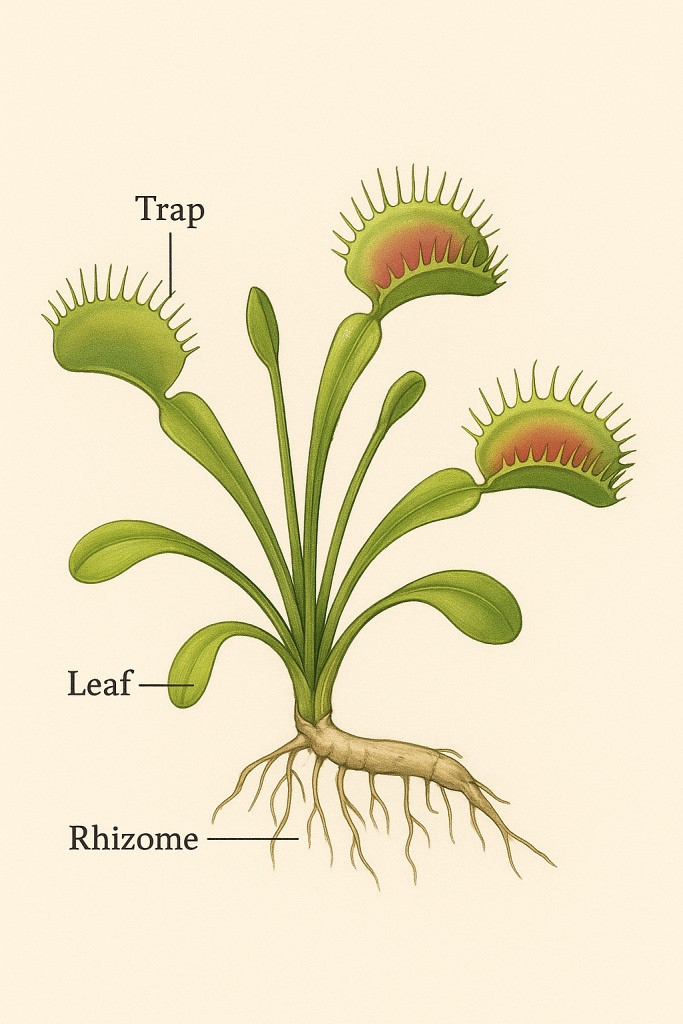
Fig 2: A labelled diagram of a Venus Flytrap plant from ChatGPT
This diagram is Ok, but I didn't like the pointer to the rhizome pointing at the roots. Also, the Venus Flytrap's leaf stalk is called a petiole. I asked ChatGPT if the diagram could be modified, and this is what I got.
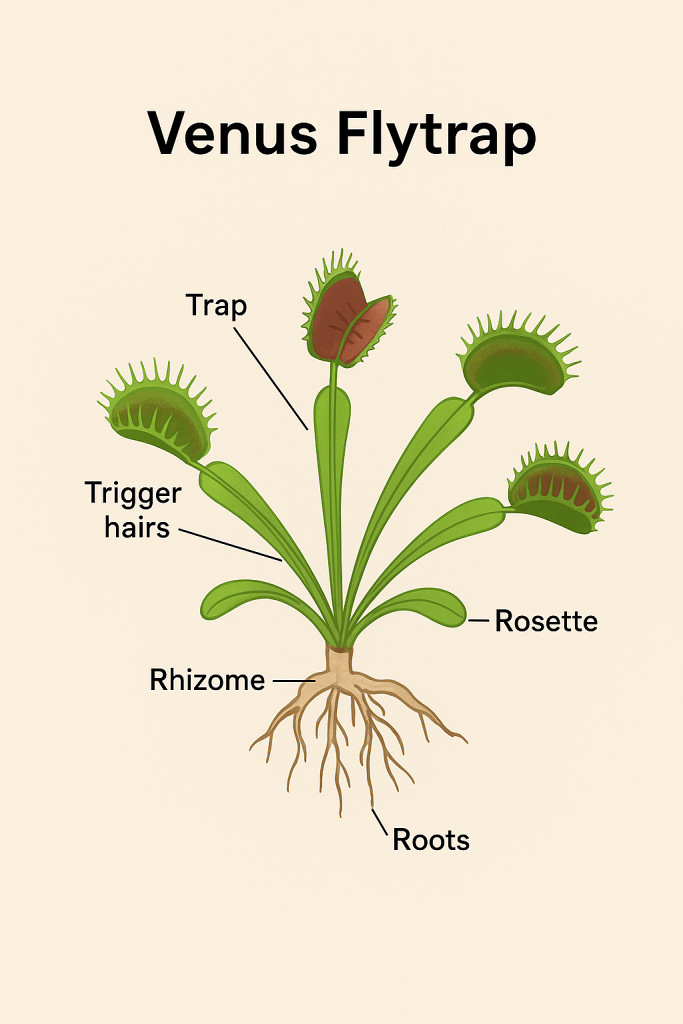
Fig 3: A modified labelled diagram of a Venus Flytrap plant from ChatGPT
This one actually got worse. The pointers to the trap and the trigger hairs are totally off target, but the rhizome and roots are better.
Chat then asked me if I would like .svg diagrams for me to modify. This sounded like a good idea as I expected that Fig 2 and 3 had actually been drawn as vector diagrams, so all that I would need to do was to move the labels around. This is what the .svg diagram looked like:
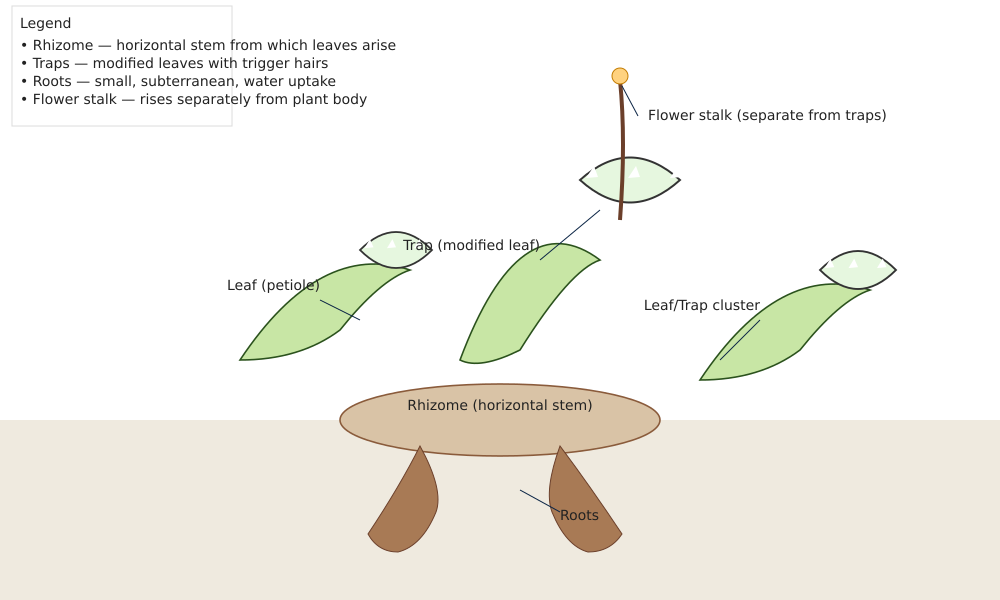
Fig 4: A labelled diagram of a Venus Flytrap plant in .svg format from ChatGPT
Not a very helpful .svg image!
Gemini
This prompted me to see if Gemini could do any better. I asked Gemini to for a labelled diagram of a Venus Flytrap, and got a page full of information on how to draw a Venus Flytrap and what should be included in the diagram. It did, however, also give the following diagram:
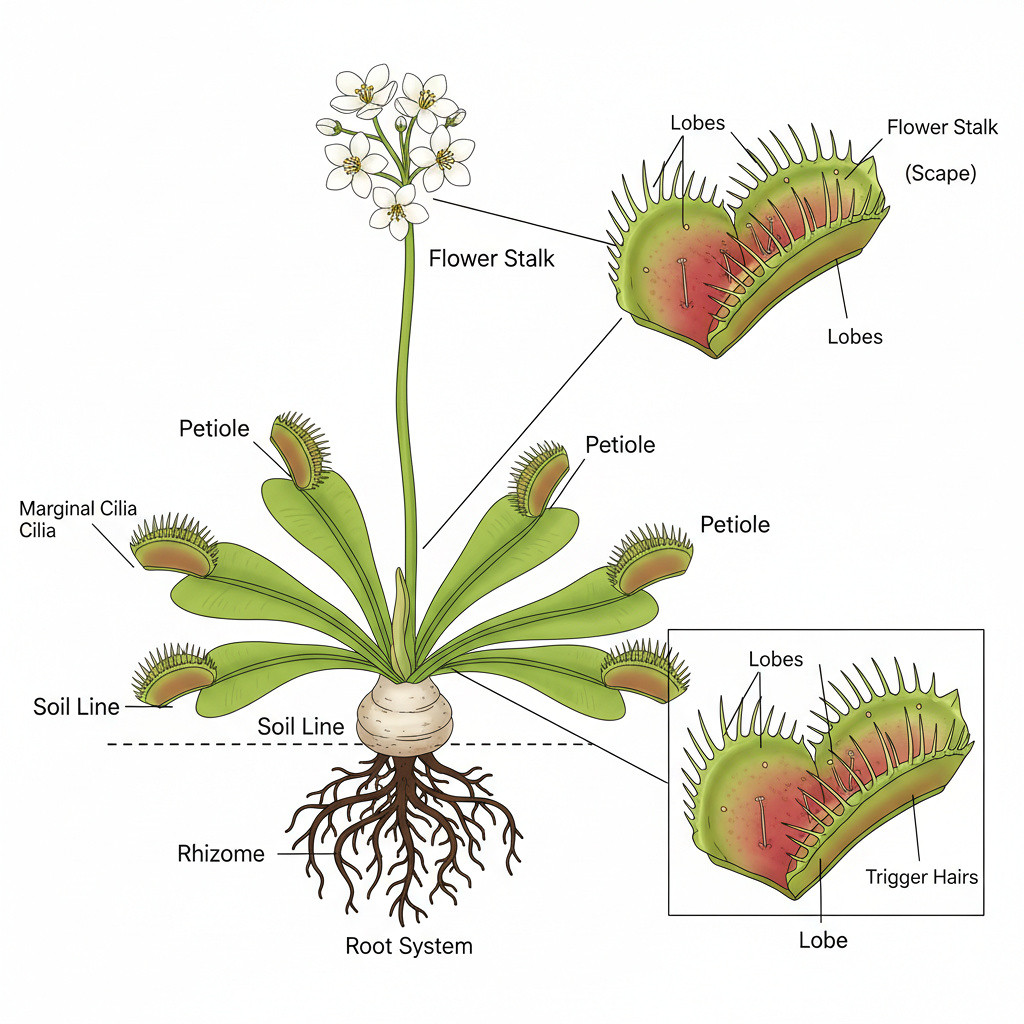
Fig 5: A labelled diagram of a Venus Flytrap plant from Gemini
This is actually a nicer image than the one from ChatGPT, but like the ones from ChatGPT, the labels are also off target. Another problem is that the trap in the exploded view looks rather deformed.
CoPilot
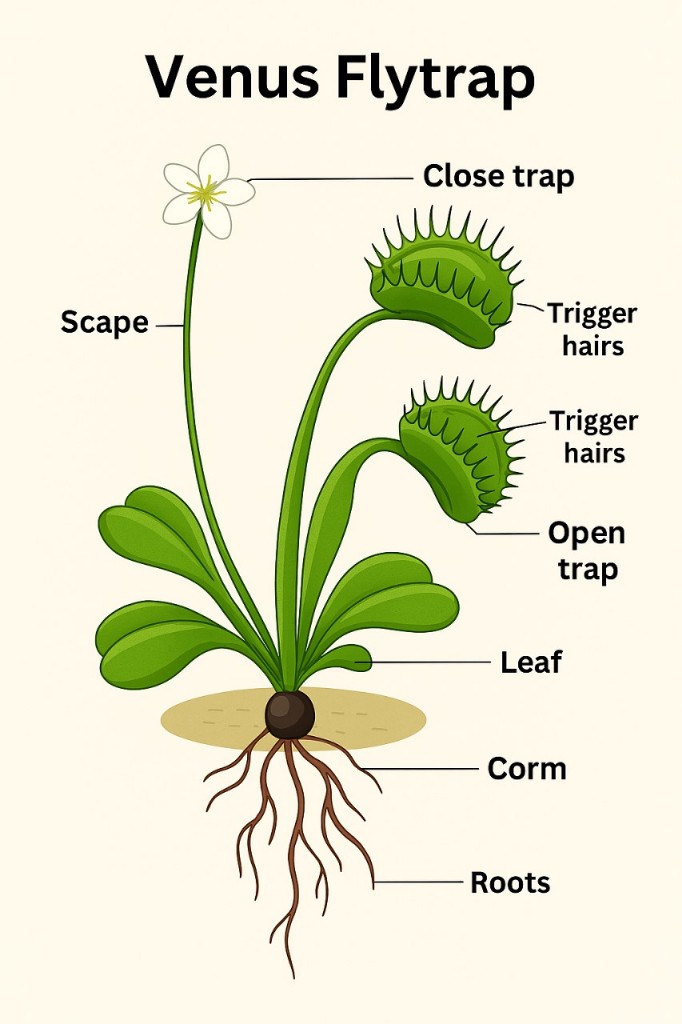
Fig 6: A labelled diagram of a Venus Flytrap plant from CoPilot
The labels on this diagram are also very poorly placed and some items are mislabeled.
Grok
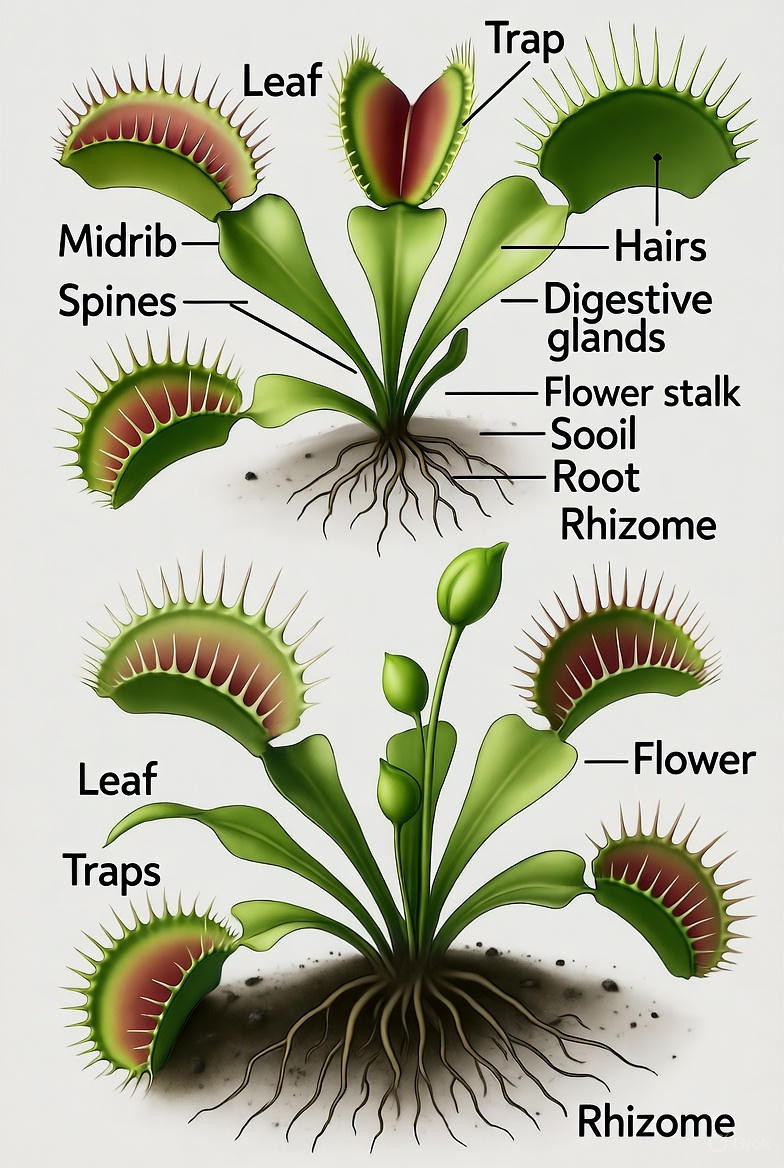
Fig 7a: A labelled diagram of a Venus Flytrap plant from Grok
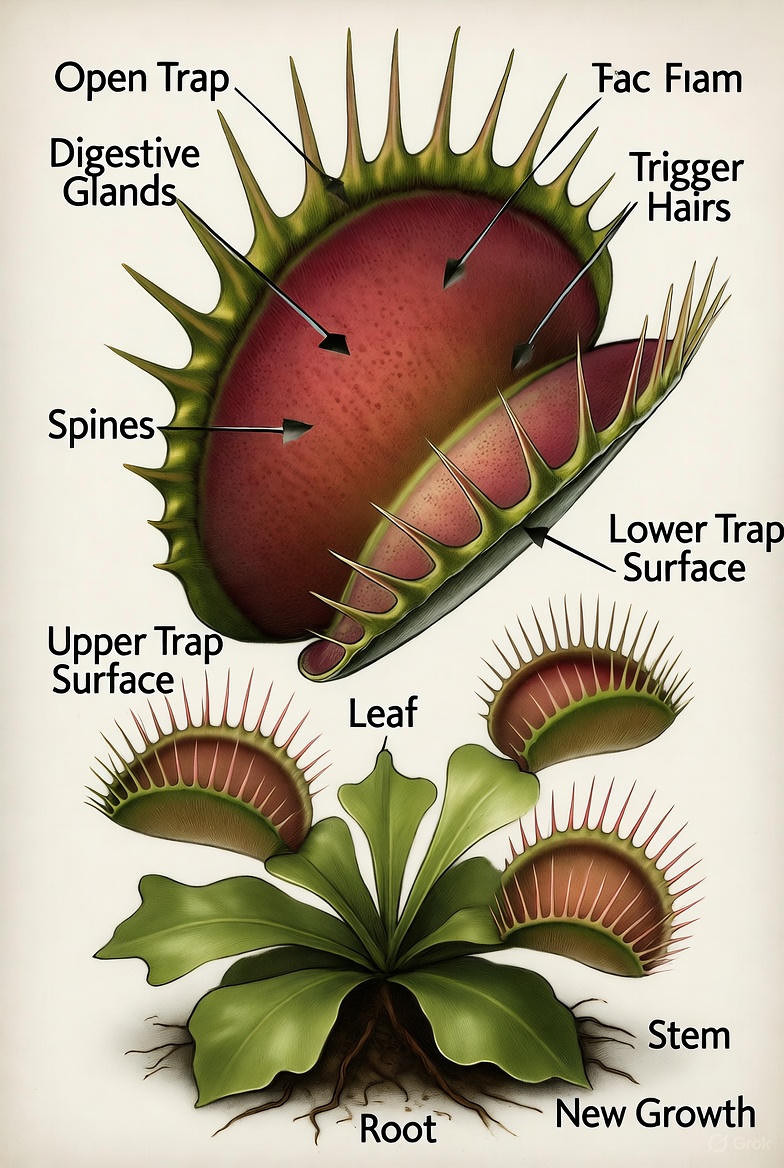
Fig 7b: A labelled diagram of a close up of a Venus Flytrap from Grok
Like all the other AIs, some of the labels on the diagrams from Grok are also misplaced. There are also some funny words on the diagrams. The drawings are very pretty though.
Concluding Remarks
The complexity of the drawings varies between the AIs, but one thing stands out, the AI has no intelligence to interpret what the lines and colours in the drawing actually mean.
Another thing that is wrong in the diagrams, except the one from Gemini, is that they show petioles without traps. In my experience, a petiole always produces a trap, regardless of how sick the plant might be. When a trap dies, the petiole dies shortly after that.
As a former academic, I was worried about AI doing assignments for students. However, these images show that it should be easy enough to build things, like labelled diagrams, into the assignment to trip up the AI (and the students). The student will probably have to spend time fixing these problem items, which should result in some learning. With a little effort, the teacher should be able to pick up whether a student had actually read what the AI had generated.
(25 October 2025)
