Android Software
Chrome font scaling issues
One of the weirdest browser issues I have come across is Google's (we know what's best for you)™ handling of font rendering on web pages. Trying to read pages from this website, with Chrome for Android, on a phone, is impossible.
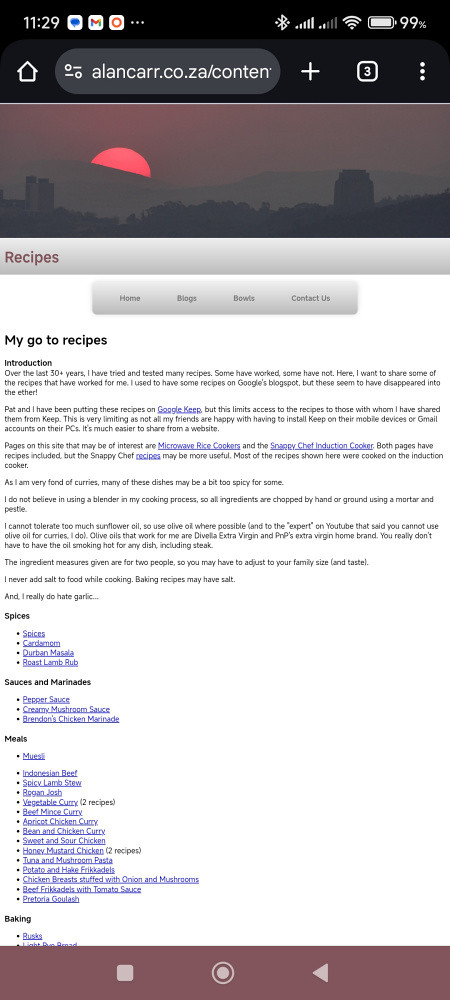
My recipe page using Chrome
If you go into accessibility options under Chrome's settings, all you are presented with is a setting to change the zoom level.
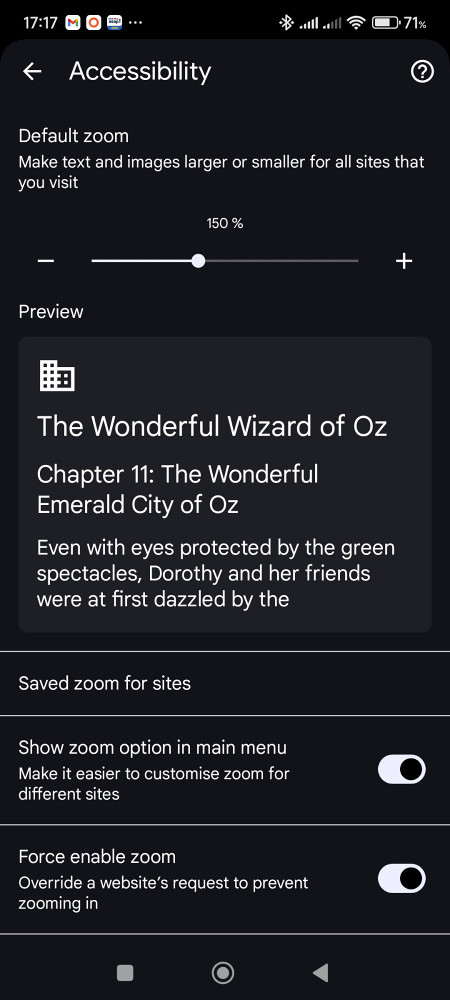
Chrome's accessibilty options
Changing the zoom level does exactly the same as if you pinch-zoomed in on the page, except that this zoom level is fixed for all pages.
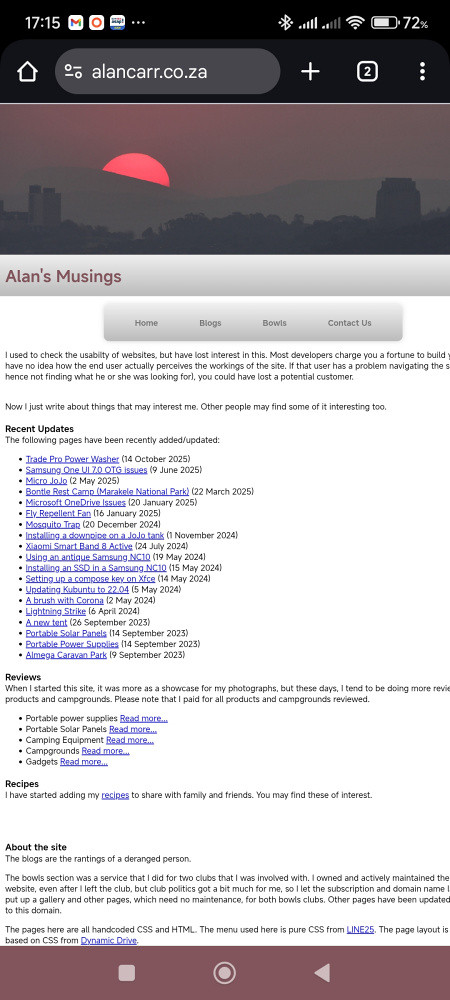
Page with the zoom level increased to 150%
As you can see, the text size is marginally better, but still very difficult to read. A further issue with zooming is that a line of text no longer fits across the page. You have to scroll horizontally to read a line.
I have tested several other browsers and they do not have this problem.
Firefox
Firefox displays the text at a readable level.
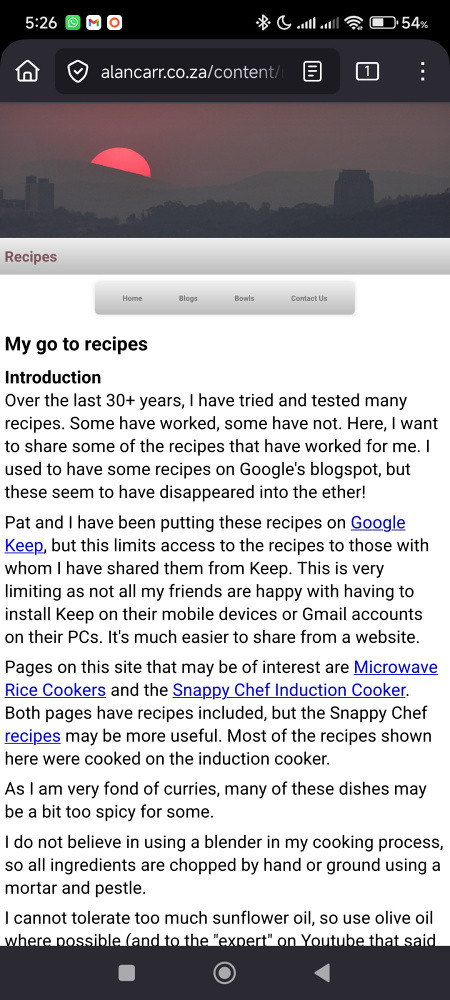
My recipe page using Firefox
As you can see the text in Firefox is readable, with the default text scaling.

The accessibility option in Firefox
The accessibility option in the settings also allows you to further tweak the text size.
Brave
As a chromium-based browser, I expected Brave to have the same problems as Google's Chrome browser. I was pleasantly surprised when it showed text at readable size.
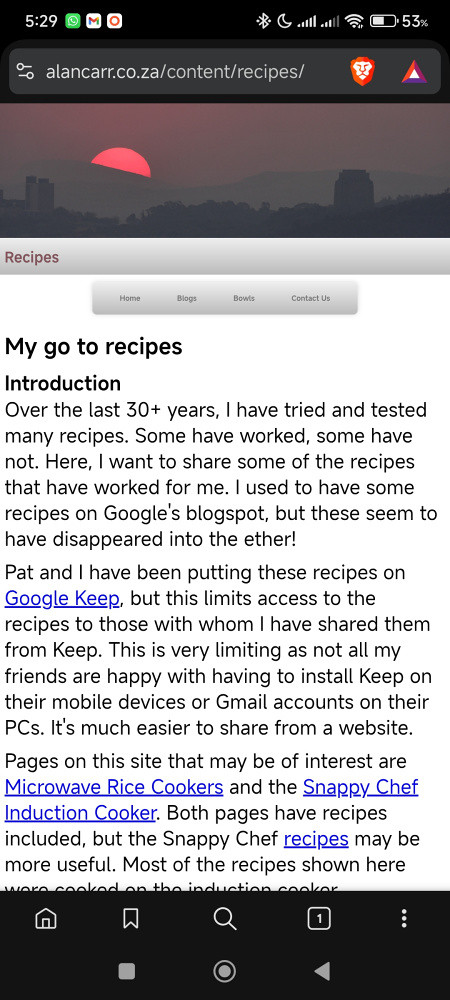
My recipe page using Brave
The text size is actually larger than that shown by Firefox.
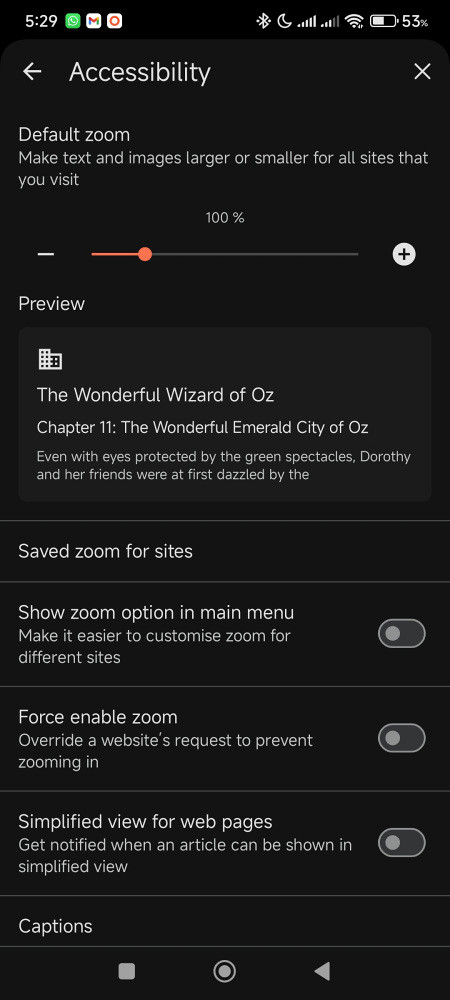
The accessibility option in Brave
As you can see, the accessibility settings in Brave look very similar to that of Chrome, which is expected from its chromium origins. What is interesting is that the default page rendering is different to Chrome.
Opera
Opera is also a chromium-based browser, but it too showed a readable font size.
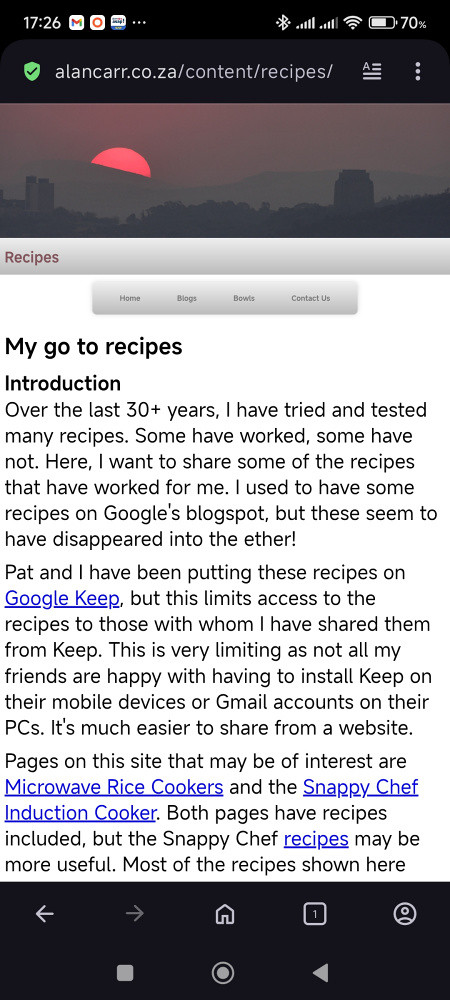
My recipe page using Opera
The default font rendering in Opera looks almost identical to that of Brave, so both are using something that Google (we know what's best for you)™ is ignoring.
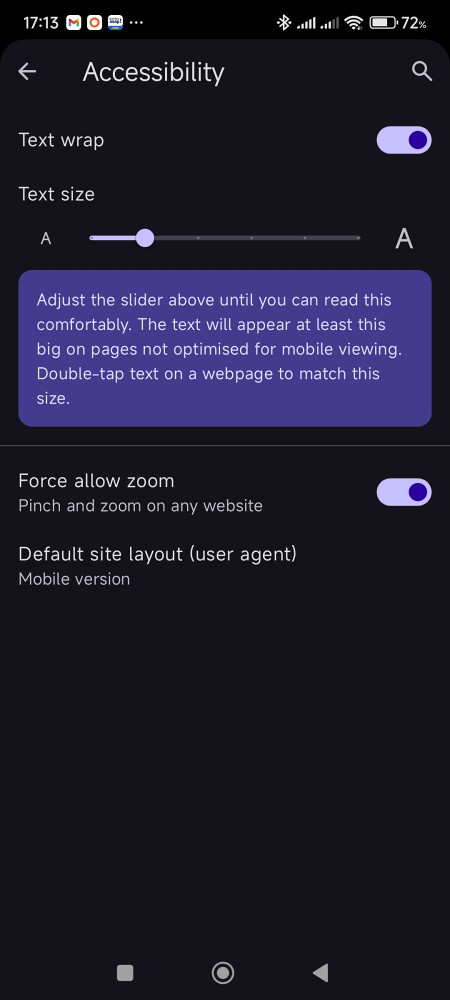
The accessibility option in Opera
As you can see, Opera also has the option to change the font size in the accessibility settings, which is different to the chromium-based bowsers mentioned above.
Other browsers
I have tried two other chromium-based browsers, but will not show screenshots from them as I think I have made my point.
Samsung Browser has a decent sized default font. It also has font scaling under the setting "Webpage view and scrolling".
Mi Browser also has a very small default font size. It's accessibility settings has a "Web page text size" option, but the options given (large and huge) make very little difference to the readability of this website.
Concluding remarks
I do apologise if you have problems reading pages on this website, and will try to see if I can find a workaround within the limitations I have placed on myself in creating these pages. I am certain that Google (we know what's best for you)™ has no intention of changing anything for a website created using minimalistic html coding.
(15 October 2025)
Update 18 October 2025
While visiting recently, I asked Frank to check my recipe page from Safari on his iPhone.
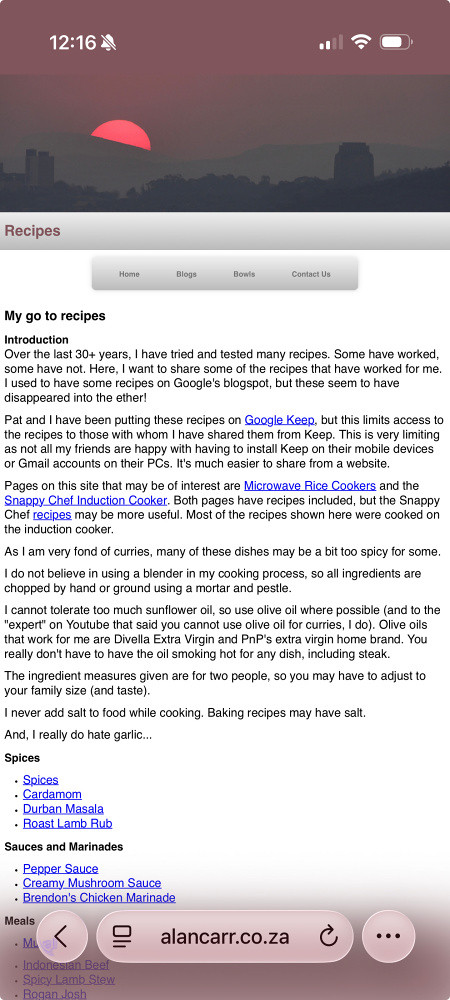
My recipe page using Safari
As you can see, the page is perfectly readable from Safari. Frank then suggested that he could also try Chrome as it was installed on his phone.

My recipe page using Chrome on an iPhone
This is rather curious to me as the page is perfectly legible (compare this with the first image on this page).
Google (we know what's best for you)™ have somehow managed to make a more usable browser for a competitor's operating system than for their own operating system...
Update 6 December 2025
I have tried using the viewport meta tag, but this messes up these pages for all browsers. I have a feeling Chrome is applying a viewport tag as default, then letting the page's viewport tag override it. For now, I will continue to leave out this tag.
(6 December 2025)
