Android Software
Microsoft One-Drive issues
Like all cloud-sharing options, you are promised the earth: your data available on all your devices, provided you have an internet connection. It’s a great idea on paper (or should that be in the cloud), but does it actually work? What follows are some of the issues I have encountered with this "relatively" new pie in the sky.
I use Excel (from Office 365) regularly for recording health and weather data. To do this, I use whatever device is on hand - usually my phone or tablet. I store this data directly to OneDrive so that it is accessible from any device when needed. For me, this is one of the main reasons for using cloud storage. When I need to share something, it's easy to access the data without the need to carry flash drives to access the data.
The problem
As mentioned above, I like to use whatever device happens to be availabe at the time. For a while, this worked as expected. However, some time in 2024, something changed - the data was no longer being uploaded to the Microsoft servers. On the device which the data was saved, it remained accessible; on any other device, only a historical version of the file was available.
Data sync
On opening Office 365, you are presented with a screen similar to the following:
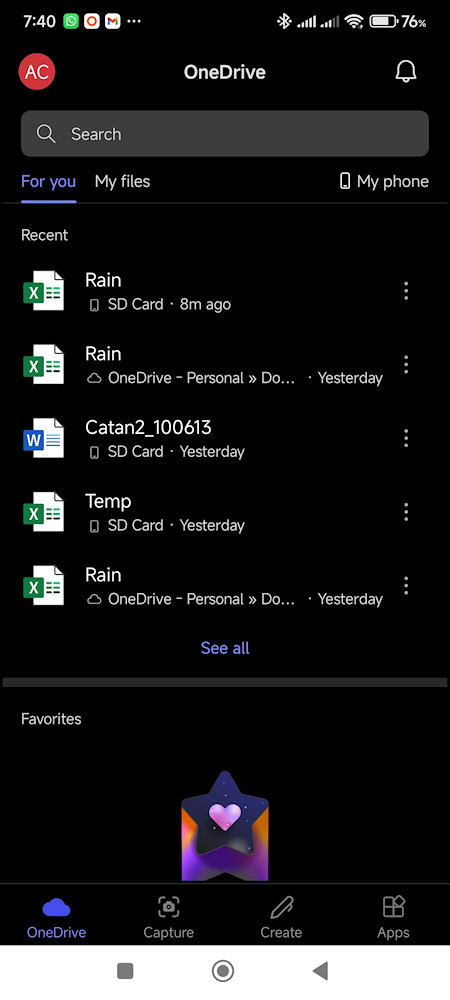
Fig 1a: Office 365 opening screen
As you can see from the title bar, Office 365 has opened the OneDrive app, which shows recently opened files. The first oddity is that the spreadsheet Rain on OneDrive is shown twice.
In Fig 1a, below the search bar, tapping My Files takes you into OneDrive's file manager. From here you can navigate to the folder containing the file you are interested in.
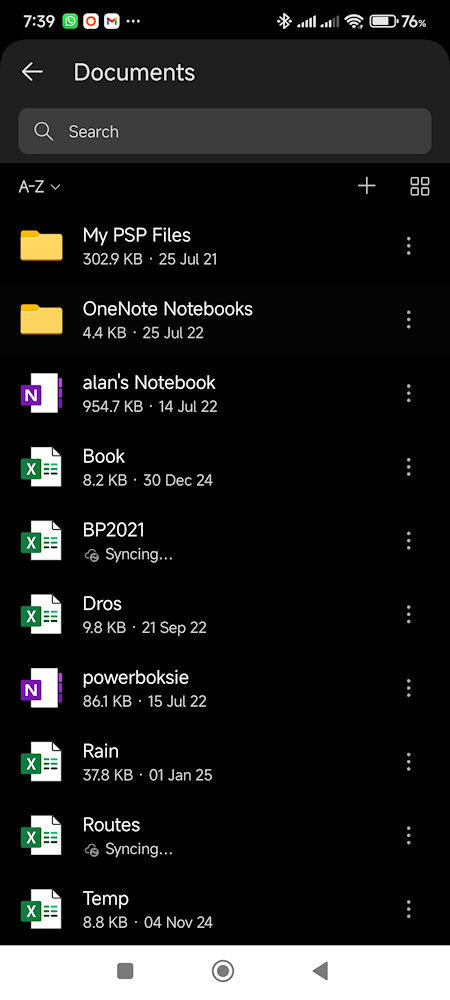
Fig 1b: OneDrive file manager screen
Fig 1b is more interesting, as it shows two files marked as Syncing… The Routes spreadsheet was last edited more than four months earlier, yet it was still syncing. Likewise, the BP2021 sheet had also not been edited for more than three months. Another interesting case is Temp, which shows a date of 4 Nov 2024, yet had actually been edited on 13 Jan 2025.
Looking at the same screens on a tablet (screenshots taken shortly after those shown in Fig 1) shows further anomalies.
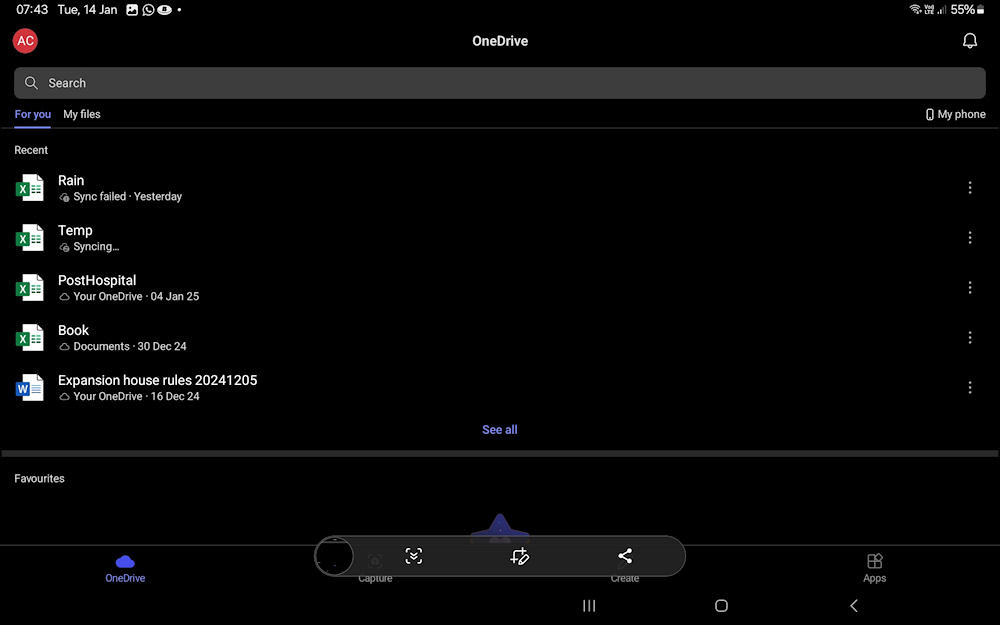
Fig 2a: Office 365 opening screen on a tablet
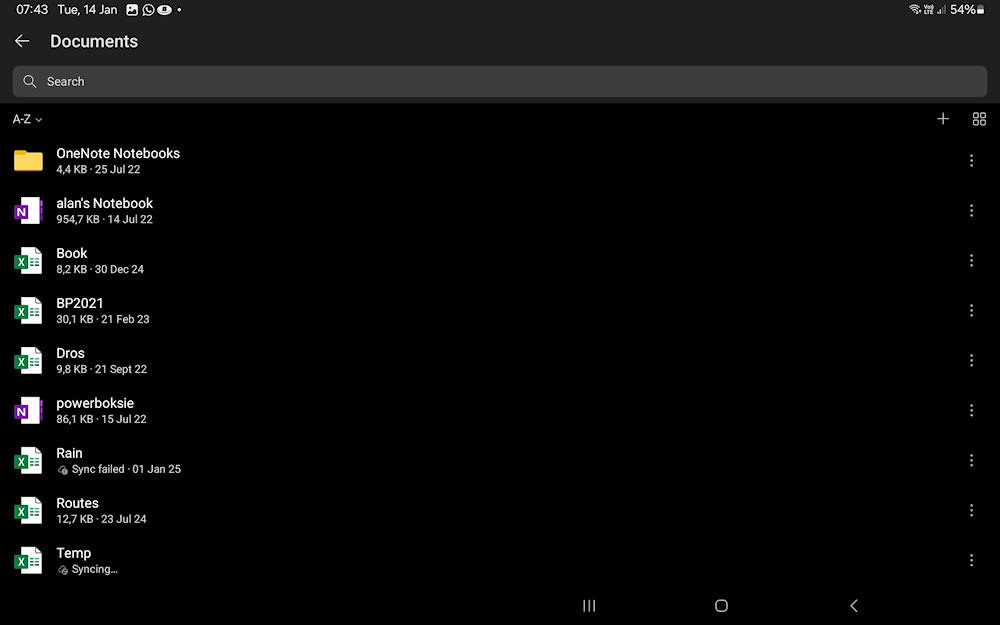
Fig 2b: OneDrive file manager screen on a tablet
Here, the file Rain shows a sync failure, Temp is syncing and BP2021 was last synced on 21 Feb 2023.
I have tried to resolve this by deleting a problem file from One Drive and then re-uploading it from the locally stored version, but this appears to compound the problem rather than fix it.
SD card
When opening Office 365, you are presented with a list of recently accessed files (Fig 1a), including those stored on an SD card. (In this section, I refer to an SD card, but the same issues occur with a flash drive attached via an OTG cable.)
Attempting to open one of these SD-card files from the Office 365 screen results in the following error:
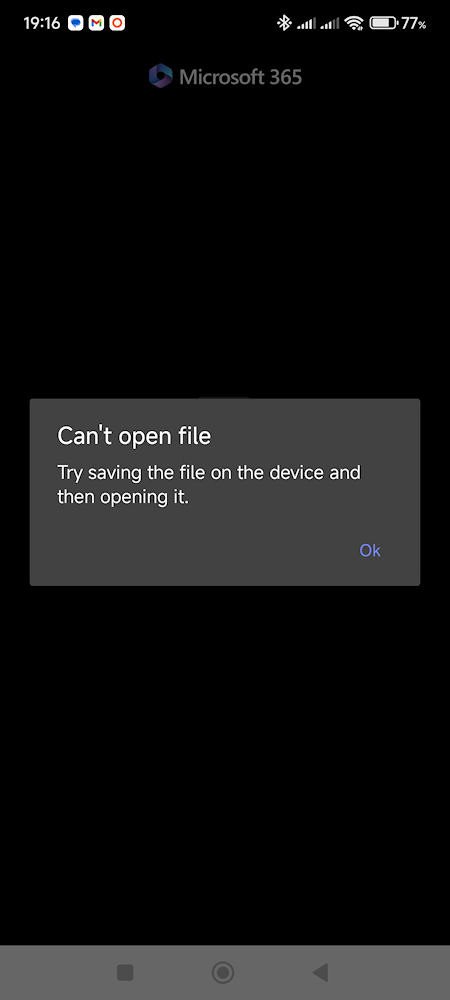
Fig 3: Error on trying to open a file on an external drive
Opening the same file from an Android file manager (in my case Total Commander) launches the appropriate Office 365 app directly. From there, I can edit the file and save it back to the SD card without any issues.
Final thoughts
I have given up on using OneDrive for storage. I am no longer confident that my data will be there when I need to access it again.
I would genuinely like to know what was changed in 2024 to break what had previously been a very useful feature.
(20 January 2025)
(Updated 29 January 2026)
