Android Software
Music Player
Introduction
Since I got my bakkie in 2015, I have been enjoying listening to a huge chunk of my music (ripped from CD to MP3) on a USB flash drive through the bakkie's sound system. This prompted me to look for something similar for use in the house. I really dislike modern music and one is forced to listen to this on most of the local radio stations. Liz gave me an idea when she came around for a braai late last year. She brought her bluetooth speaker with, and kept us in music via her phone, for the better part of five hours. The sound quality was also pretty decent.
The quest now was to find a decent speaker at a reasonable price. The JBL speaker that Liz had was a bit more than I was willing to pay. I then saw an advert from Makro where they had the Volkano Bazooka speaker on special at R499 (I have since found that this price is about the going rate for this device). At Makro, they had none of the Bazooka left, but they did have the Volkano Blaster for R799, plus about 5 or 6 smaller Bluetooth speakers on sale. A very kind salesman demonstrated them all for us and let me test them using music on my phone and on a USB flash drive I had with me. There was just no comparison between the Blaster and the other devices - even the salesman agreed that the sound quality was much better on the Blaster. So we bought the Blaster.
As Pat had recently bought a new tablet (Samsung Tab A 10.1) to replace her Lenovo S6000 which was giving troubles with the WiFi connection in one of the games she played, I decided to use the S6000 as the music centre. The next step was to find suitable software to play the music.
In my search for a usable player, I looked at six apps: Google Play Music (Free); VLC (Free); Neutron (recommended by Liz, R86*); Stellio (R29); Poweramp (R28*); and Pi (R16). The price is given in brackets and the asterisk signifies a fully functional trial version is available for testing (the others have ads in their free version). At the time that I was looking at these apps, the exchange rate was about $1=R13.
An important criteria for me was to be able to play the tracks in the order as on the CD. I like classical music, and you want to listen to the symphony/concerto in the order it was presented to the world by the composer. Playlists are not an option for me as they are way too much effort to compile. My own folders was the way I wanted to go, as I could move the tracks into their own folders as I was ripping. This means all the filler tracks on the CD went into their own directory and the symphony/concerto into theirs. Thus the app had to have a "play from folder option".
Google Play Music and VLC

Google Play Music is part of the bloatware added to Android as part of Google's campaign to sell streaming music. It has a very minimalist appearance, following Google's own (really ugly) Material Design. This app ruled itself out immediately by not having a folders option.
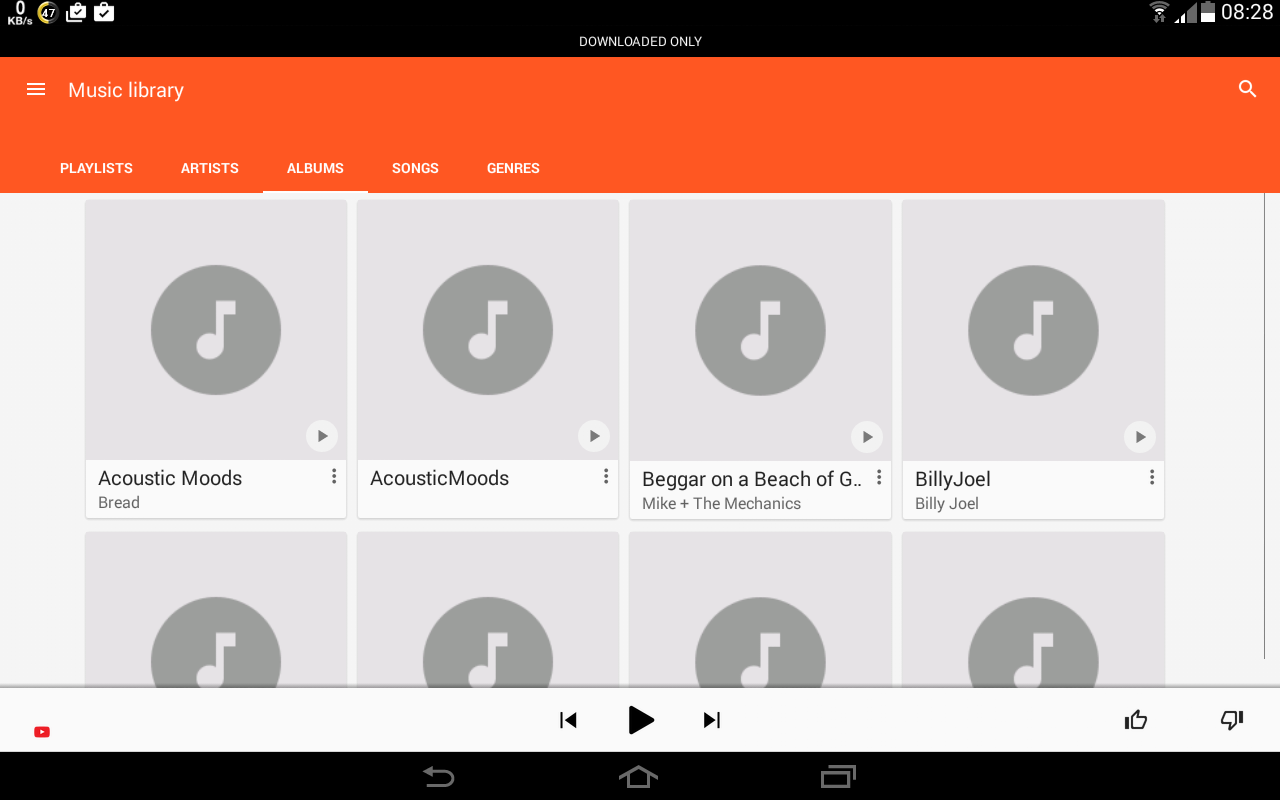
The "Music Library" part of the Google Play Music app, showing no folders option

VLC for Android is an app that I more often than not use to play video clips. It also has a rather minimalist appearance and also does not have a folders option.
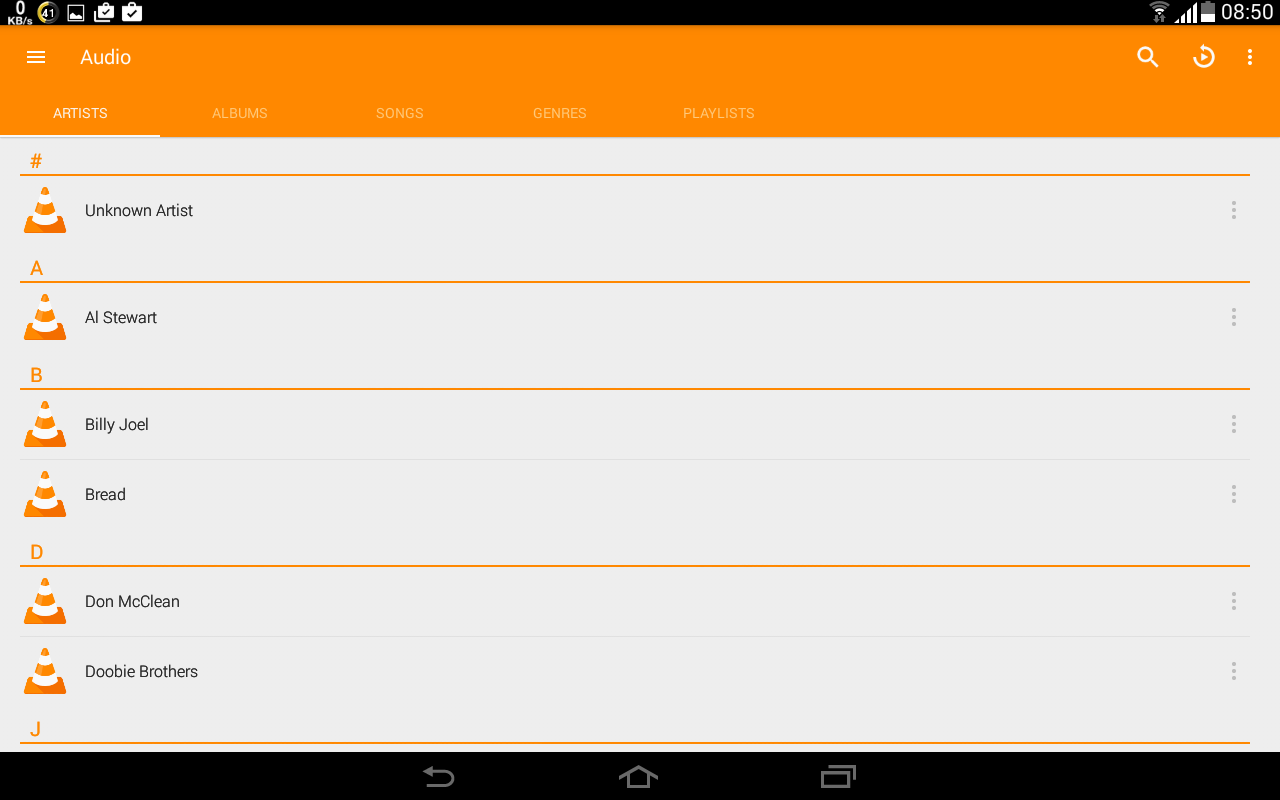
The "Audio" section of the VLC for Android app, showing no folders option
Pi

Pi is a fairly decent player, which ticks all the boxes with folders, staying within a selected folders while playing and having a built-in equalizer. Where it falls down completely for me is that many of the screens are portrait only - this is most awkward on the tablet that I am using as a music player.
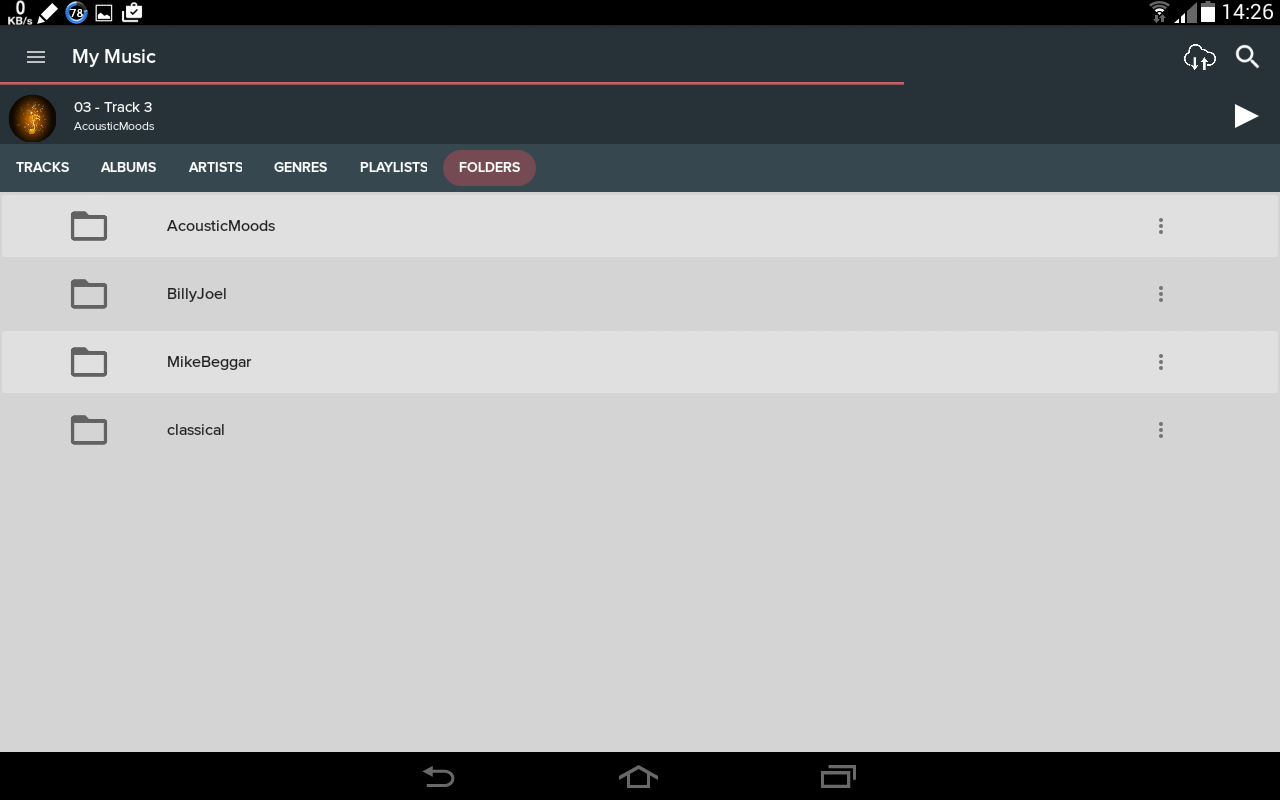
The folders screen of Pi
Poweramp

Poweramp is a good looking player, with plenty of options. The interface is fairly intuitive to use. Once the top level folders containing the music folders have been selected from the settings, individual folders can be selected from the player screen.
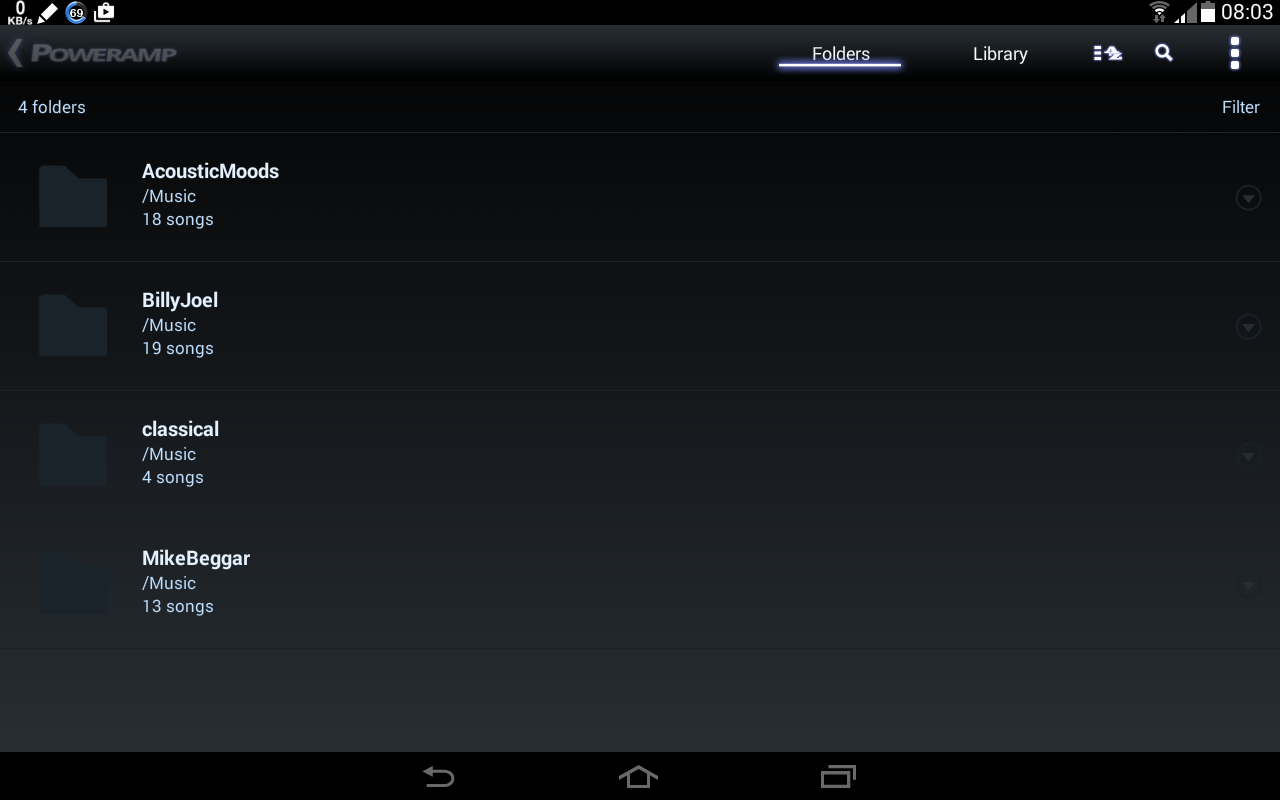
Showing the folders section of Poweramp
Getting the shuffle to work on a single folder and not all music folders requires some experimentation (and cursing as there is no documentation). You do not want contemporary music mixed with classical music.
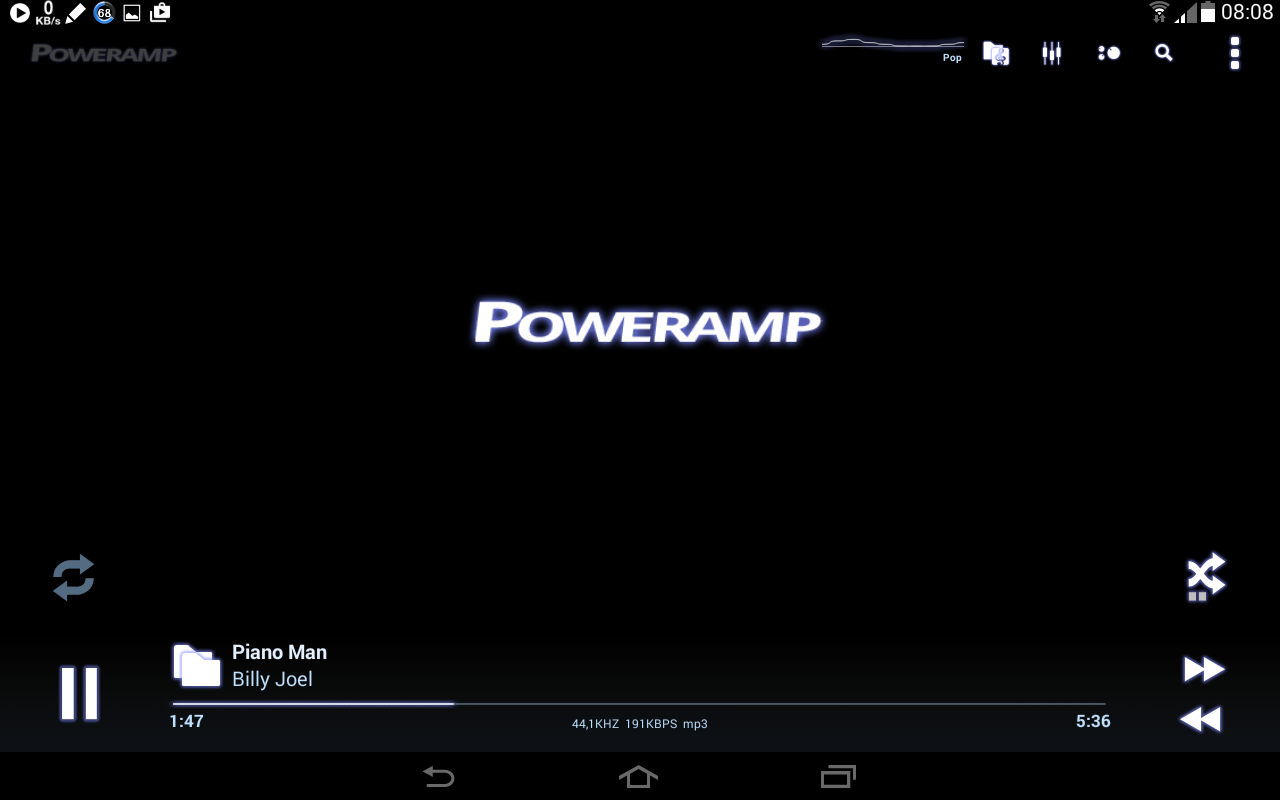
The player screen of Poweramp. The icon above the next track button is the one to set for "shuffle within a folder".
The equalizer is easy to use with a useful set of presets. The active preset is shown on the top of the player screen (see the picture above), which is convenient when playing different music genres.
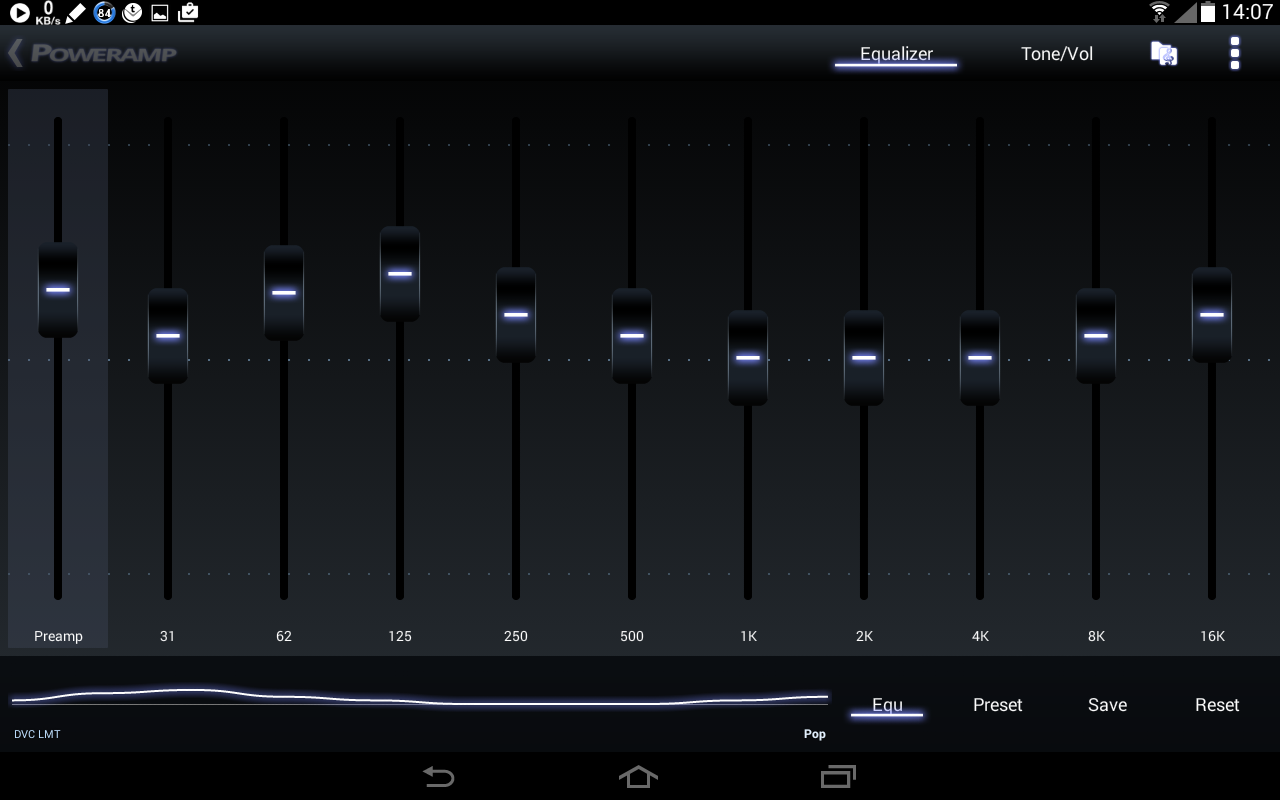
The equalizer screen of Poweramp
Like most of the other players mentioned here, Poweramp sometimes drops the opening notes from a track when playing from a folder. This is especially irritating with classical music (such as Beethoven's fifth) where the opening notes are often the most well known part of the piece.
Poweramp is probably worth purchasing, as it has a good set of options. Once you have figured out where everything is, it is quite easy to use.
Neutron

Neutron is very expensive when compared with other music players in the Play Store. It has a very extensive set of features, but it is very convoluted and unintuitive to use. The trial period is only a week, which is really not enough time to test all the features I was looking for, especially when considering the price and the complexity of the app. Poweramp's two weeks is far more reasonable. With my op, I lost the trial period on one device without doing too much. I worked through a few of the more tricky operations on a second device when that trial ran out as well, so I ended up buying the app to complete my tests.
Whatever you do, do not use the automatic scan for music folders when opening the app for the first time - every file that has a file extension related to music is scanned into the database. This includes every notification sound and music clip downloaded with every app on the device. This rubbish is then interspersed with your music when playing a shuffled list.
Setting up folders is a two step process. First the top level music folder is selected in settings, then the individual folders can be selected from the player screen.
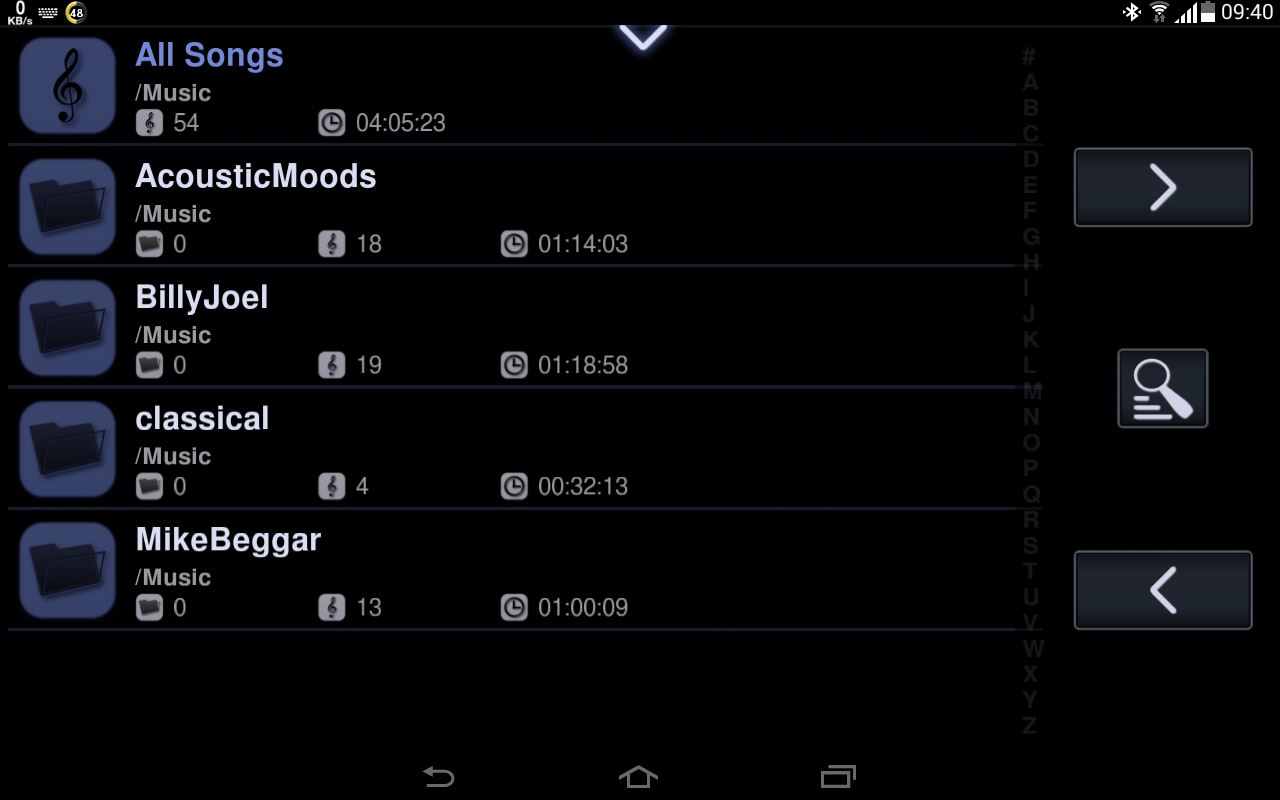
The folder screen of Neutron
Like Poweramp, the music player screen of Neutron allows quick access to many useful features.
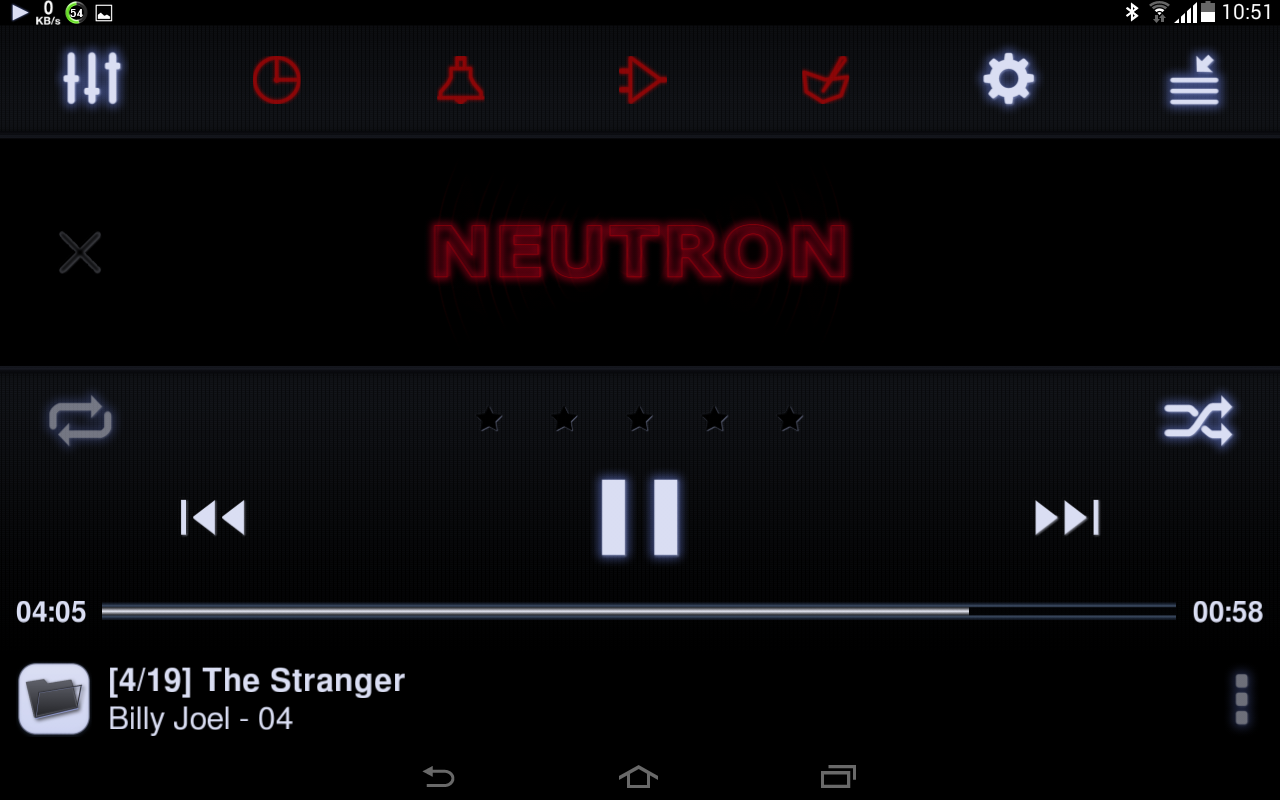
The player screen
One of the features that can be accessed from the player screen is the equalizer.
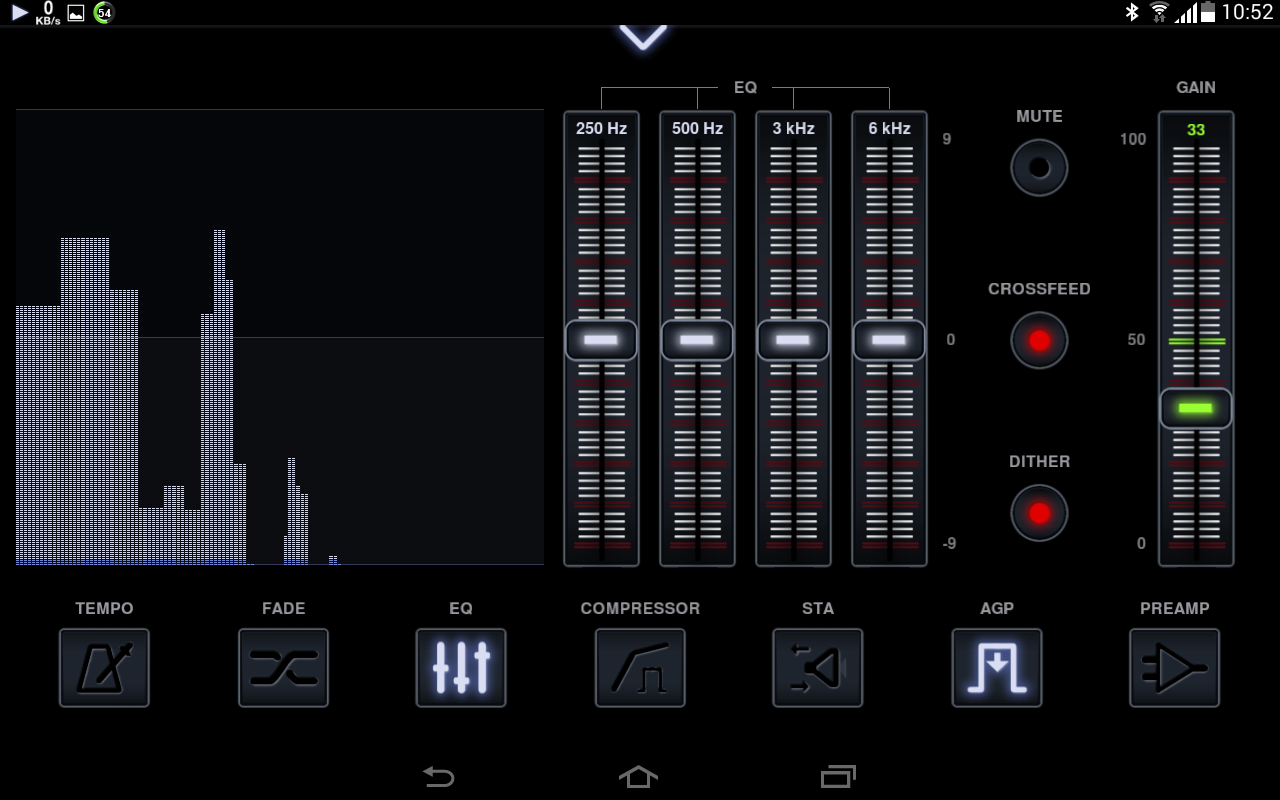
The equalizer screen
This is the first thing that is markedly different to other music players. Neutron's default equalizer only has four bands. Poweramp has 10 bands and Stellio 12 - this has to allow for finer control of the output tones. Another problem I found with Neutron's equalizer screen is that there is no way to access the presets (or save any changes you may make to them). The presets are accessed via the settings menu, then hidden at the bottom of a list of equalizer band variations.
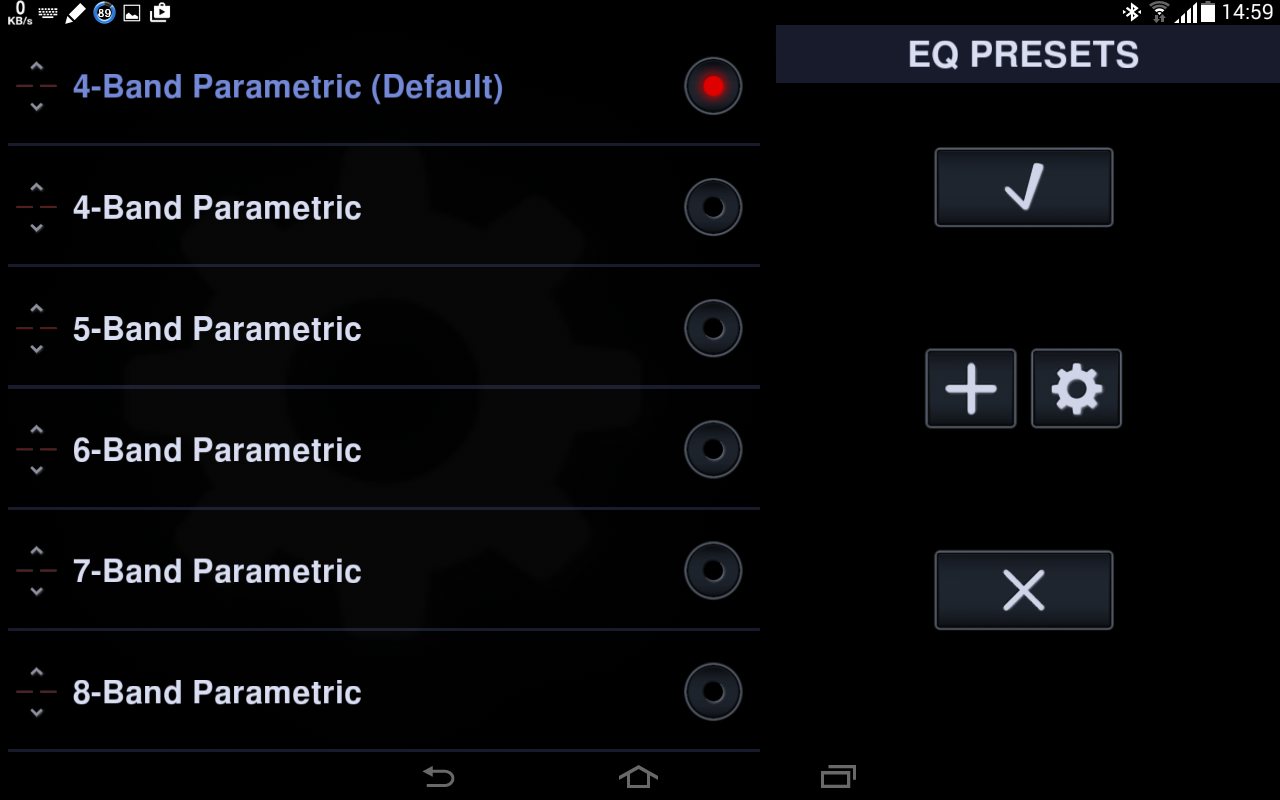
The equalizer band variations from the settings menu
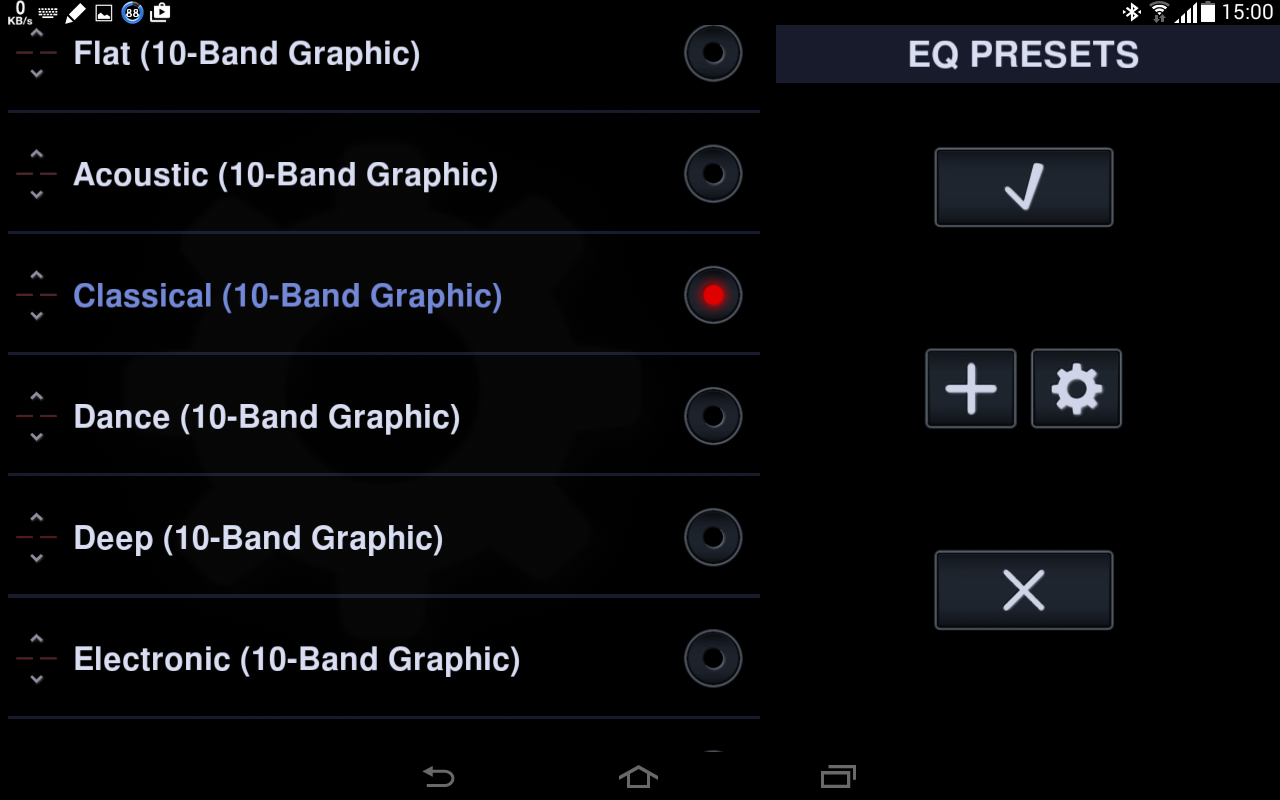
Scrolling down past the equalizer bands gets you to the presets. Here the Classical preset selected (note that this preset is a 10 band equalizer).
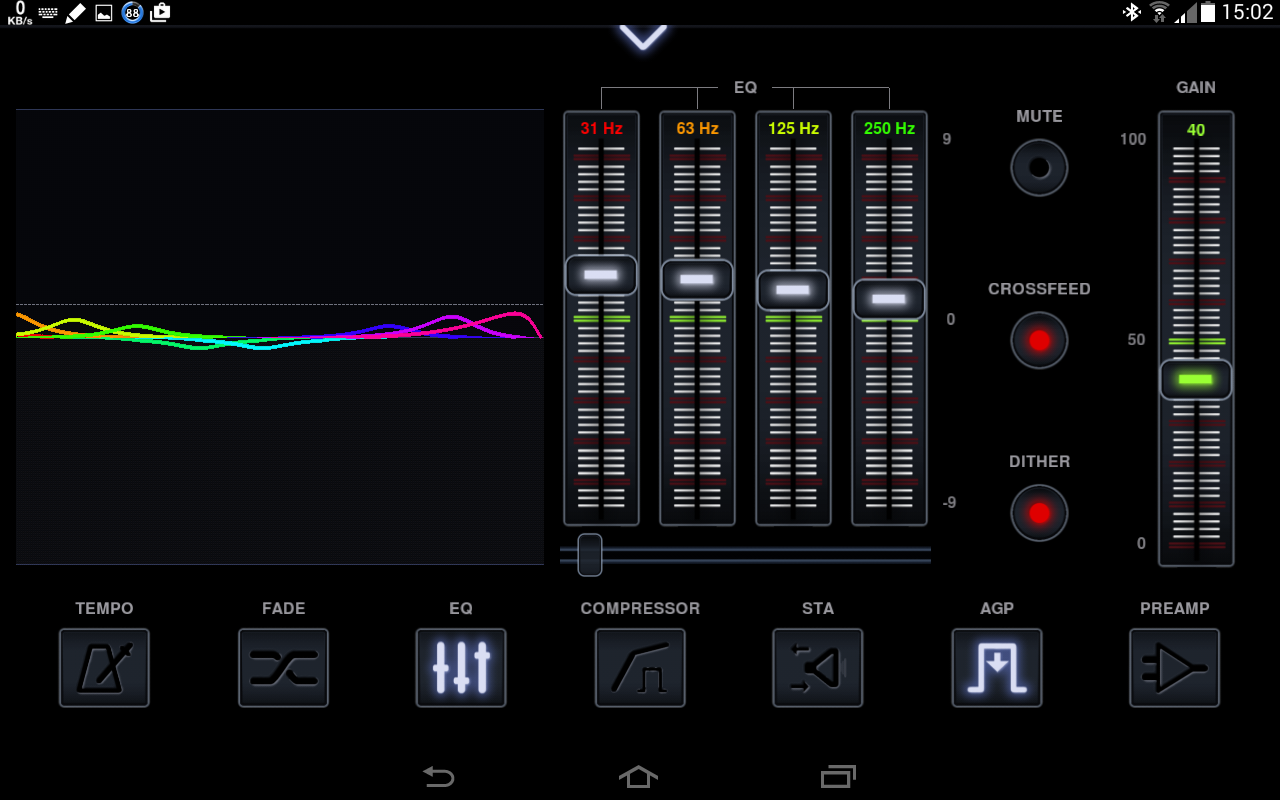
The equalizer screen with the Classical preset selected
Note that the fourth band in this preset only goes up to 250Hz, whereas the 4 band equalizer shown earlier goes up to 6kHz. The higher frequency bands are accessed by using the horizontal slider below the equalizer. The graphic to the left of the equalizer shows which bands have been modfied.
These band variations do give finer tone control but I do feel the ability to modify them should be readily accessible from the equalizer screen.
One thing that I don't like, apart from the complexity of the app, is that the player screen, if active, remains on and does not allow the device's screen saver/timeout to switch the screen off. This can result in a burn-in image on the screen. In Neutron's convoluted menu system, I could find no way to disable this. One thing that I do like on the player screen is that you can see which track is playing, as a track number, out of the total number of tracks. Monitoring this can give you an indication of the efficiency of the shuffle mechanism.
They do have a FAQ, but there is nowhere near enough information available.
Stellio

Stellio was the first app I tried after Neutron, and I really liked the simple interface. All the necessary functions are visible on the opening screen.
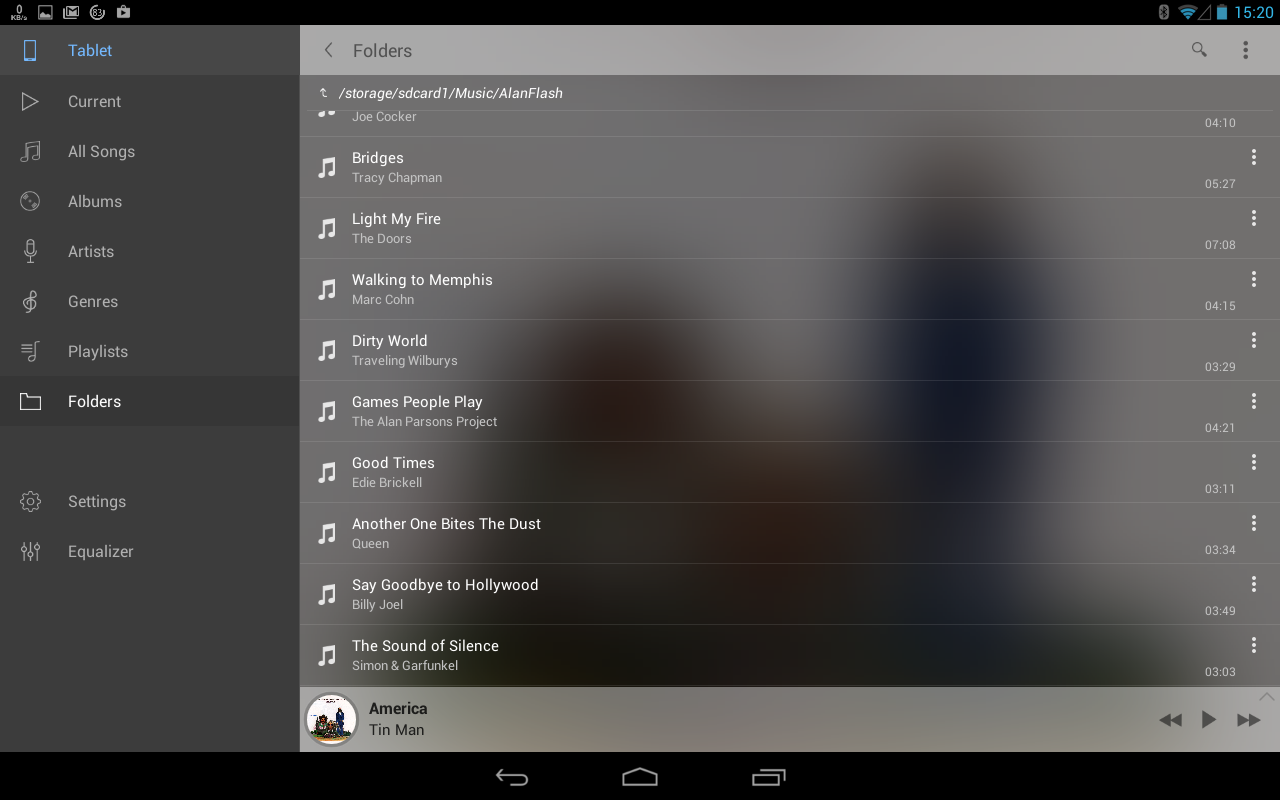
The opening screen of Stellio, with folders selected
The folders in Stellio are the easiest to use of the three apps I tested. It's a case of navigating to the folder you want, playing the track you want to start with and then setting the shuffle.
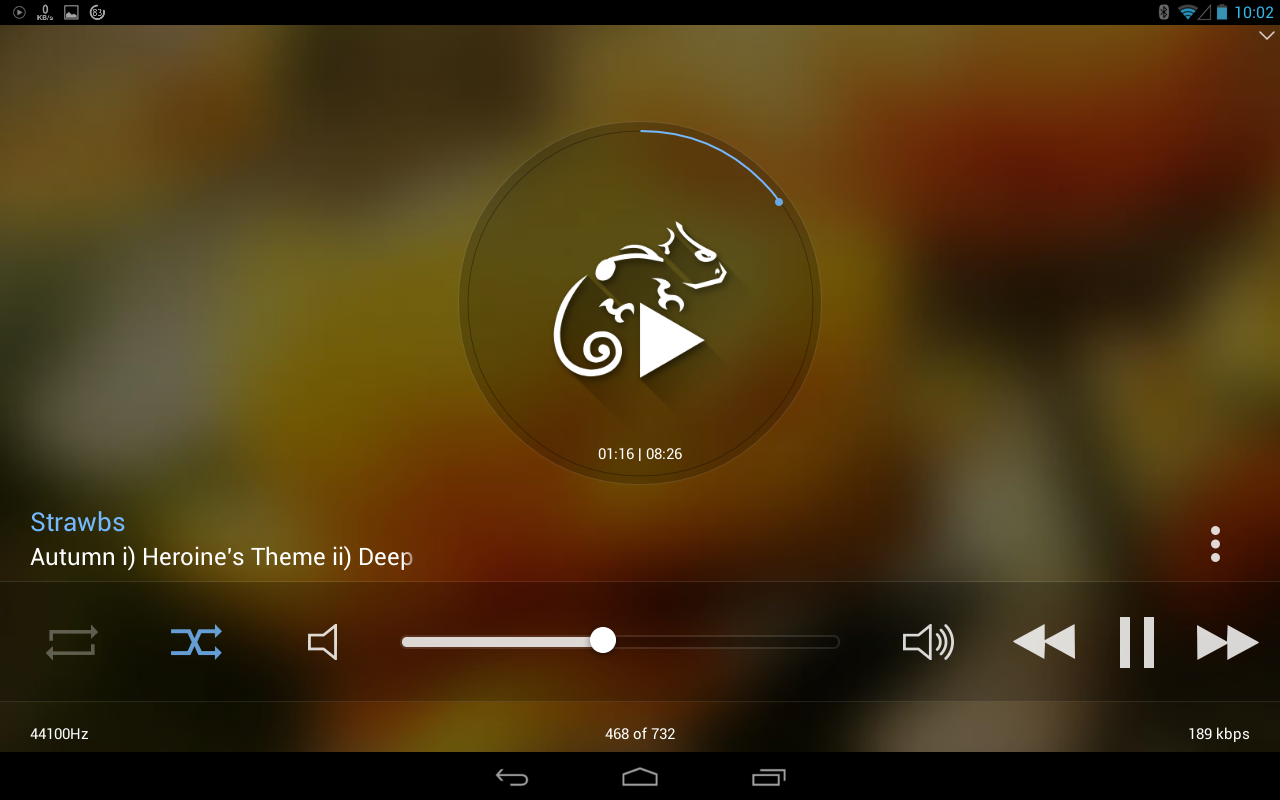
The music player screen of Stellio
The equalizer is accessible from the opening screen (but unfortunately not from the player screen). It is easy to use, and has a decent set of presets. It is also fairly trivial to save one's own preset.
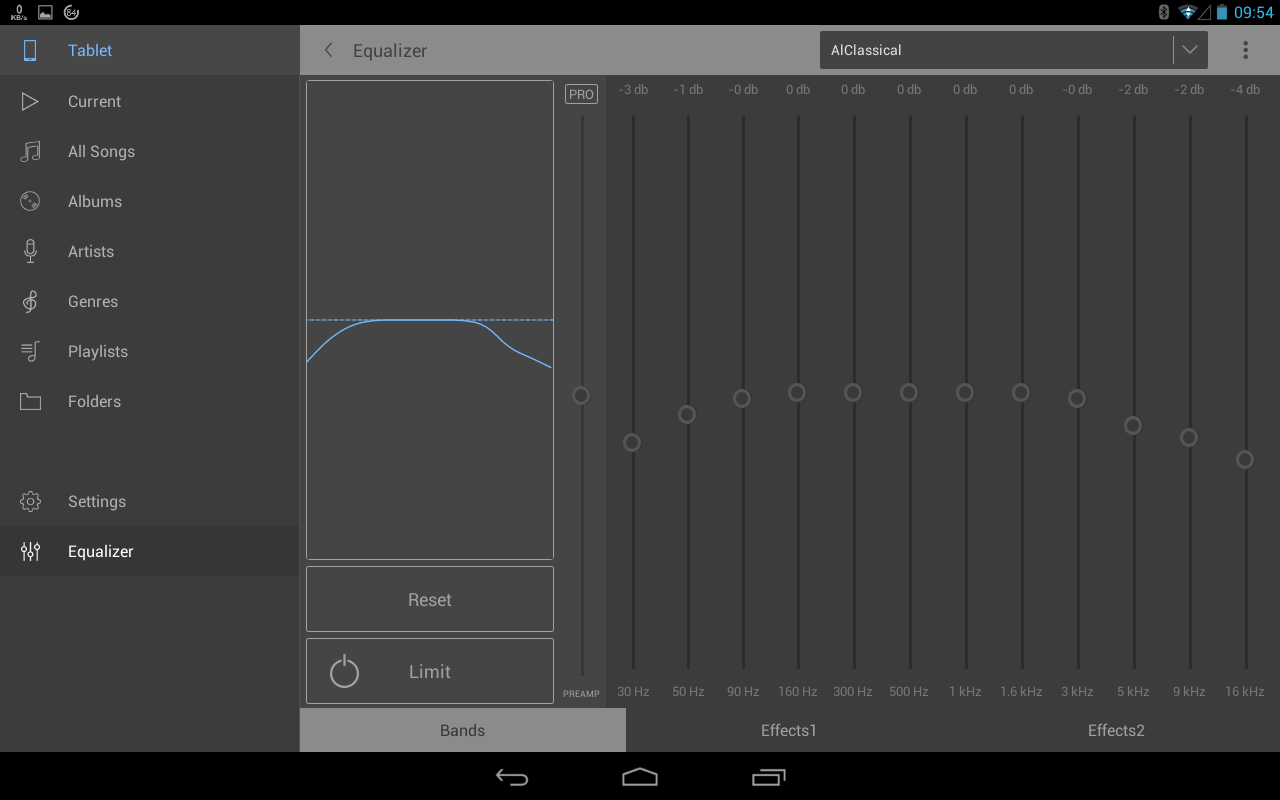
The equalizer screen of Stellio
One of the biggest gripes I had with Stellio was the sorting of tracks within a folder. There are several sort options, but these do not always work as expected.
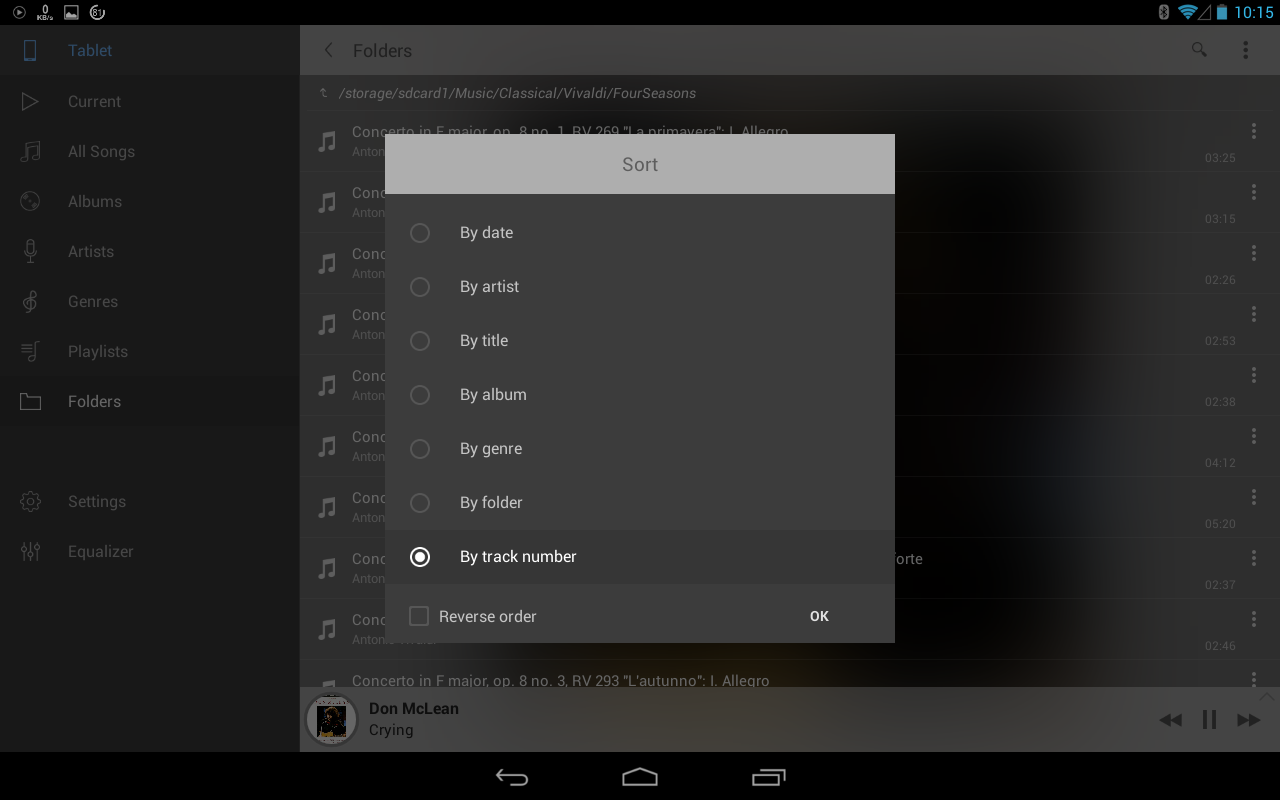
The sort options available for a folder
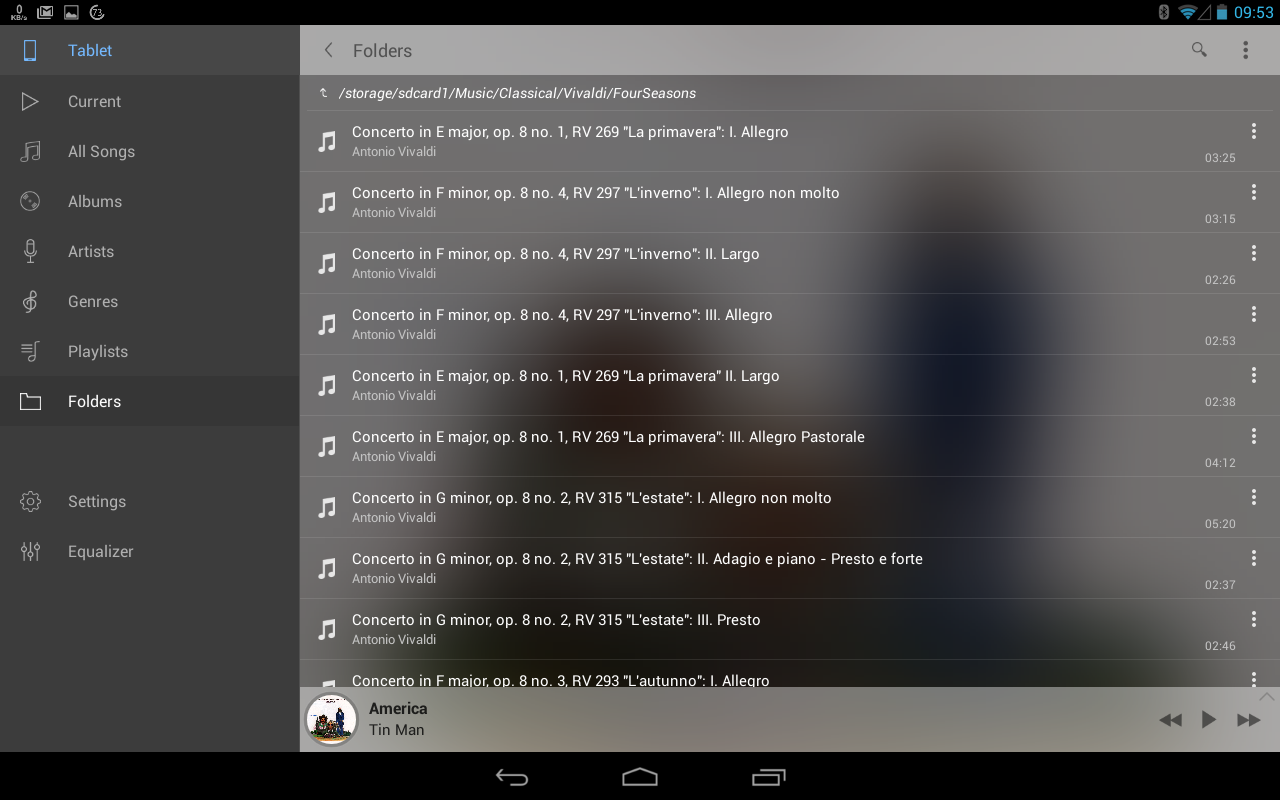
Here sorting by track number (ie the order on the CD)
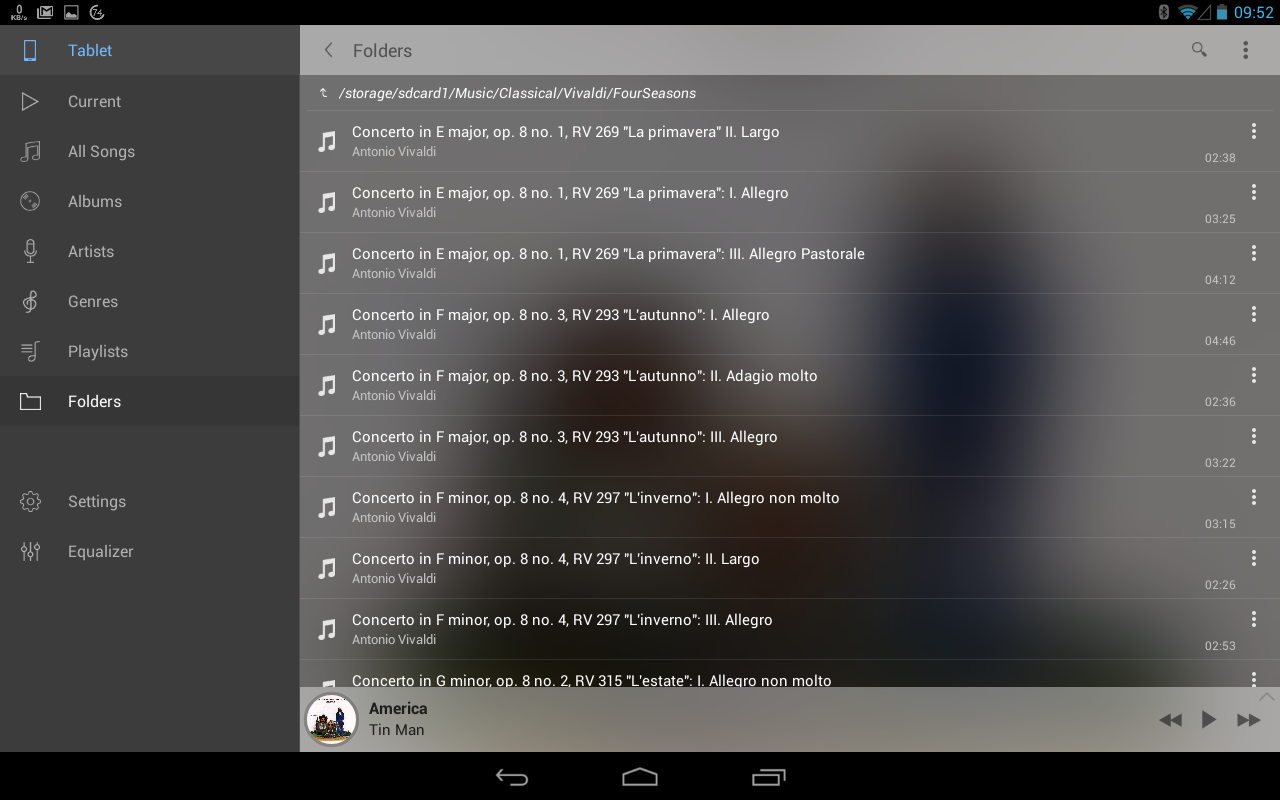
Here sorting by title
Poweramp and Neutron show, and play, the track order correcly.
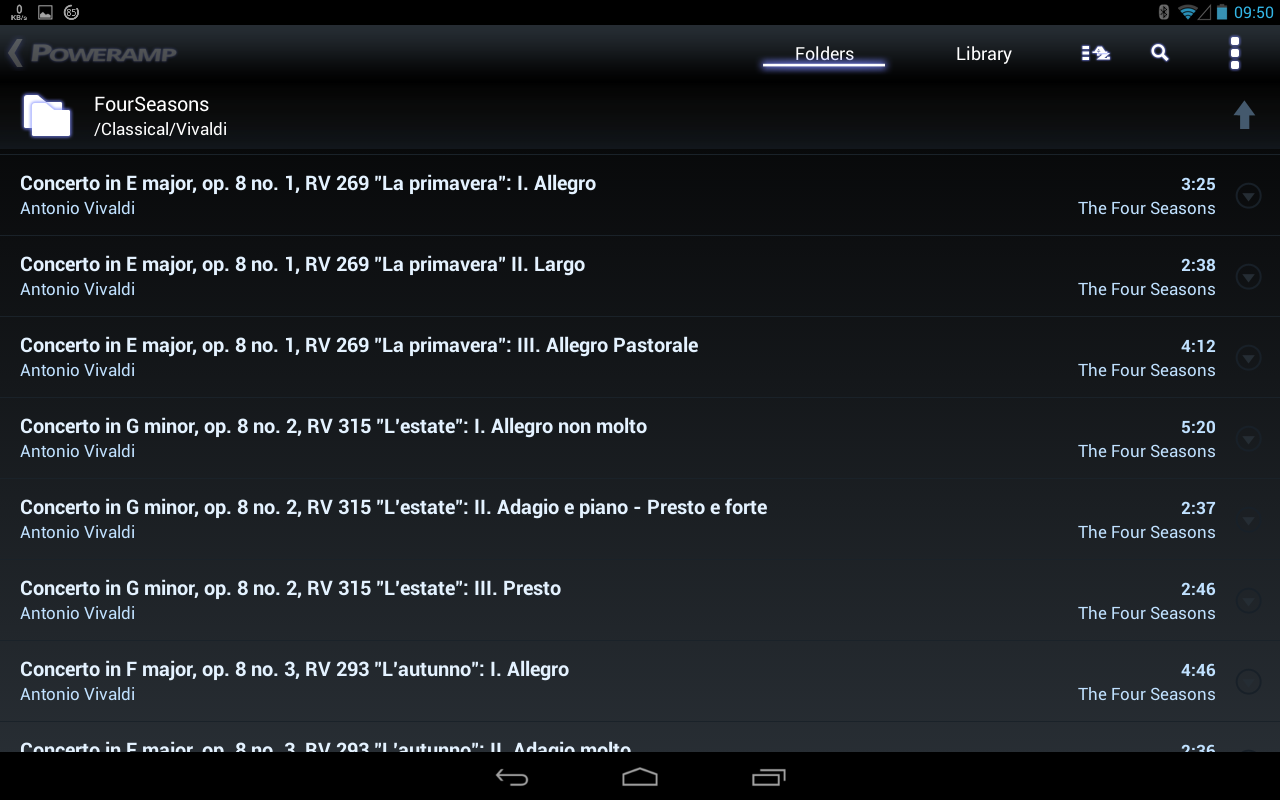
Poweramp showing the correct order
Like the other apps, Stellio often drops notes at the start of a track when playing from folders. I thought this had something to do with the gapless transition between tracks (I still do). Stellio is the only app which gives one the opportunity to switch this off, but unfortunately, switching it off makes no difference to transition times between tracks. I feel there must be a bug in their code.
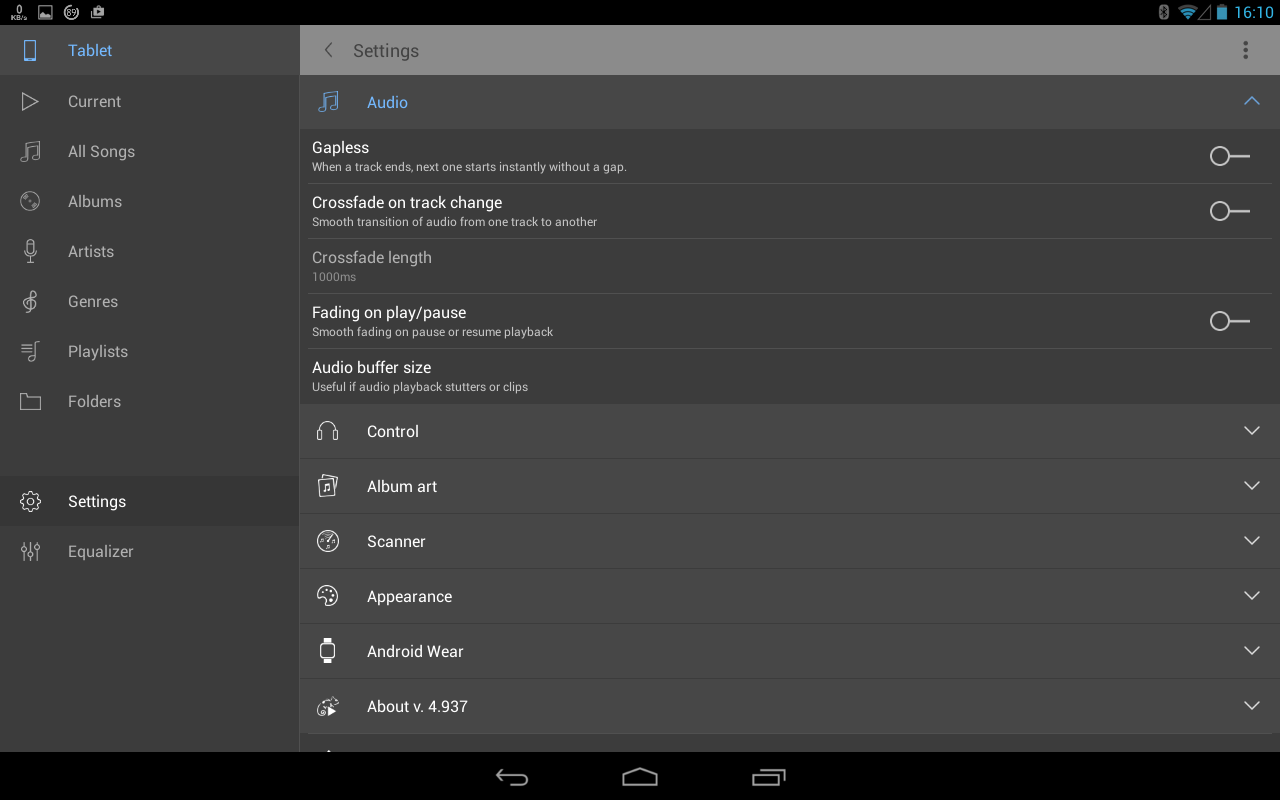
Stellio's audio settings
One thing that seems to influence this dropping of notes is the lead-in time to the track. The shorter this lead-in time, the greater the chance of a dropped note (one day when I am bored, I will try to verify this experimentally).
The Stellio development team are very quick to respond to emails and reviews on Google Play, yet nothing seems to happen. It is now the middle of March, and their last update was put out on 14 December 2016.
Conclusion
Stellio is by far the simplest app to use. If the problems I mentioned do not bug you, I would recommend it wholeheartedly. Neutron is way too complex (and expensive) for my needs. After this exercise, I would recommend Poweramp. It's not as easy to use as Stellio, but at the moment, it is definitely more robust.
Update 1
Stellio updated their player on 31 March 2017. One of the issues that has been fixed is sorting files in a folder.
(updated: 7 April 2017)
Update 2 - Poweramp
I have found a new problem with Poweramp's folder sorting. As I mentioned earlier, I want a program to use a folder in some kind of known sequence (alphabetical, date, size, etc), not some arbitrary sorting algorithm. I recently added around 100 tracks to my main music folder and was horrified to find that Poweramp only played tracks from the newly added list when a track was selected as a starting point in that list. Similarly, when playing tracks from the old set, tracks were only selected from the old set.
Poweramp does something odd as can be seen from the screen capture of the end of the new list and beginning of the old list. The two lists are sorted alphabetically, but separated into two distinct groups.
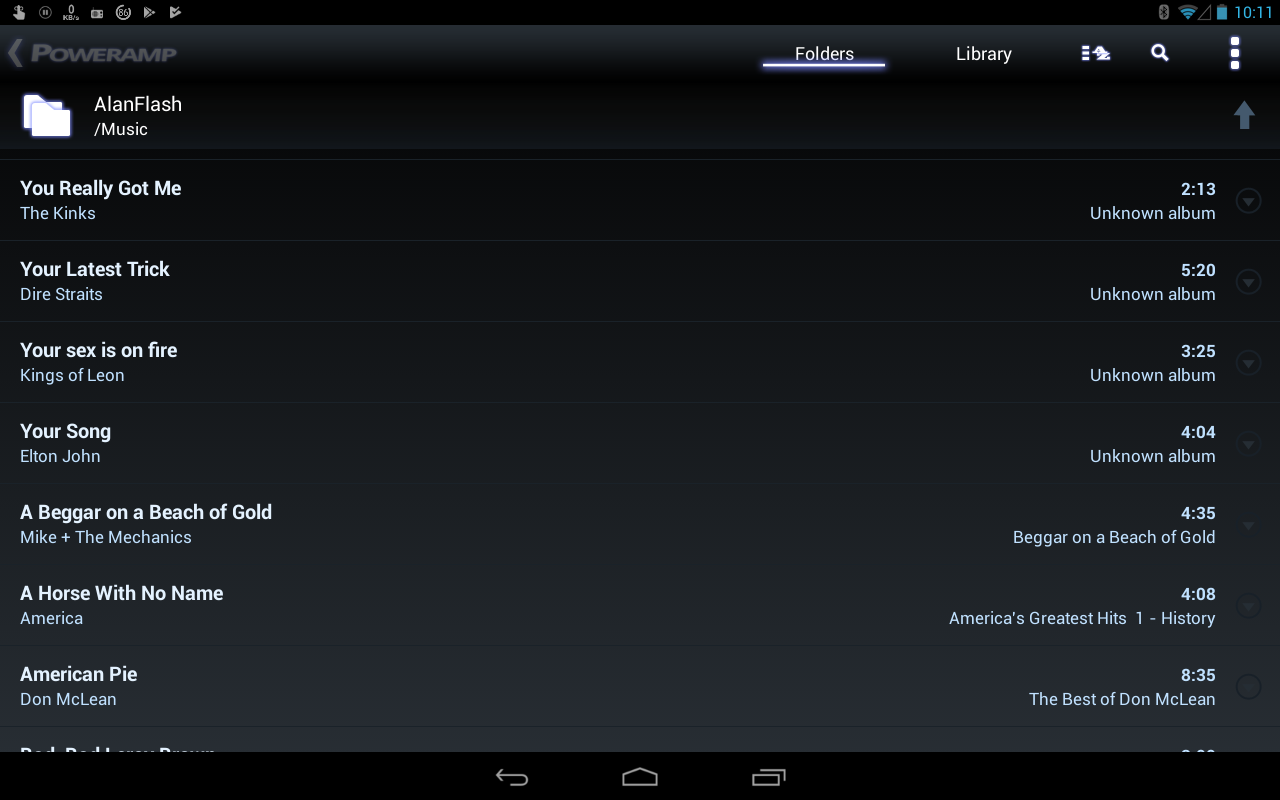
Poweramp showing the strange grouping of files in a folder. The top few are from the newly added list, the bottom ones are from the older list.
Stellio shows the tracks in the expected order, and plays tracks from both the old and the new sets. For now, Poweramp is pretty useless to me.
(updated: 13 January 2018)
Update 3
I's been a while since I updated this page, and in that time, quite a bit has happened. Stellio was kicked off Google Play for a copyright infringement, and for a while you could only get the app and updates off their website. They have since had Stellio reinstated, but the old license is no longer valid, so you have to get a license key from them to get the app to work.
Stellio has also had a change for the worse for me. It no longer handles folders as efficiently as in the past (it doesn't look in sub-directories in your chosen directory). This makes it less useful to me.
On the other hand, Poweramp has also undergone a major upgrade, including the way in which it handles folders. You can now specify which folder or group of folders it should look in for your music selection.
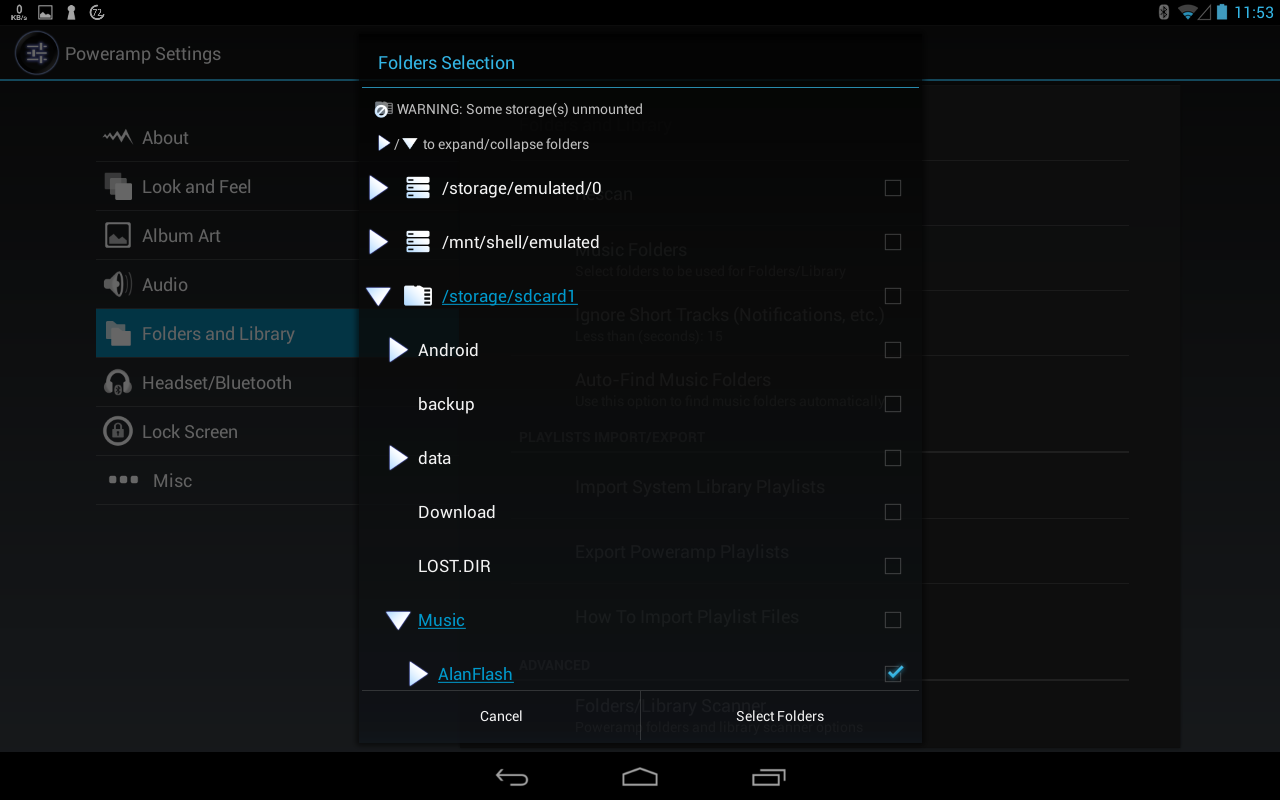
Poweramp's new folder selection
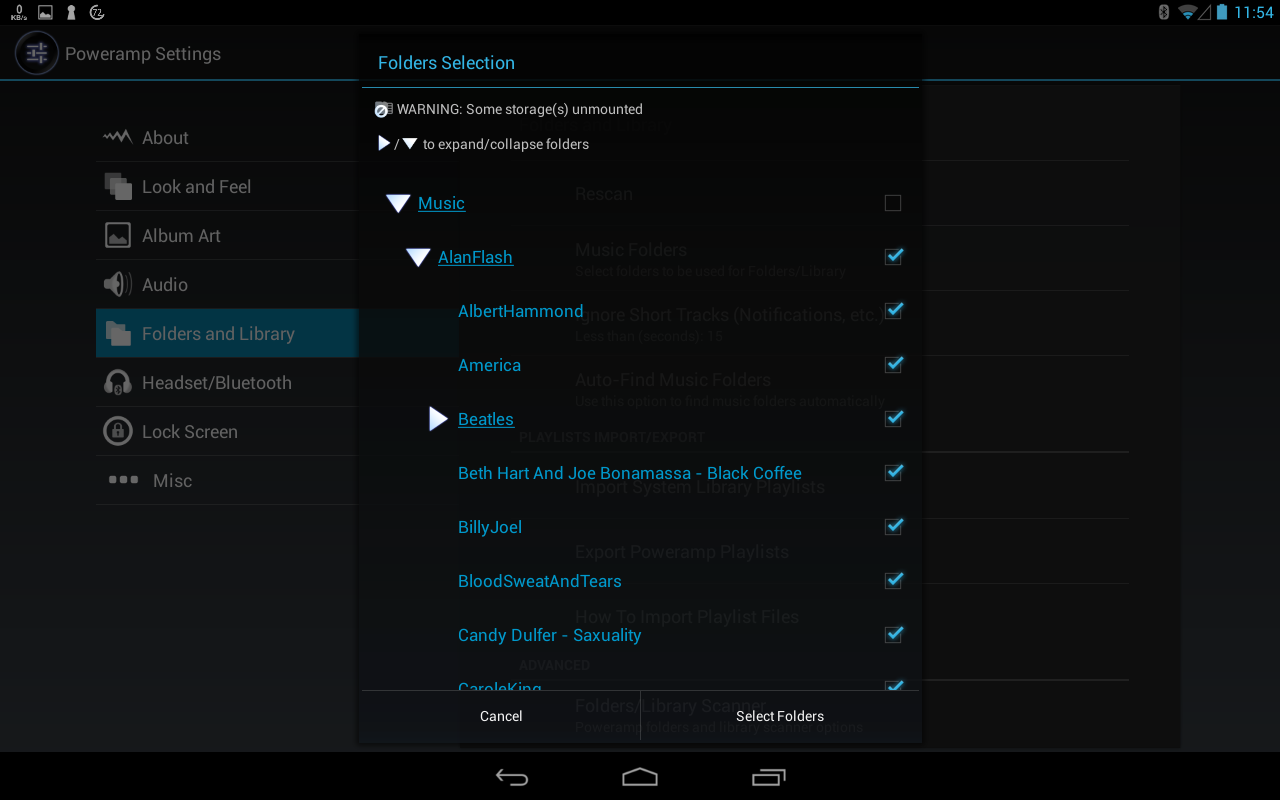
Another view of Poweramp's new folder selection
This folder selection allows you to select down to a single directory, which is very useful if you want to play a single album (which is usually the case with classical music).
I now use Poweramp exclusively as they have also fixed the issue with dropping notes at the start of some tracks. Stellio devs have not managed to sort out this problem.
(updated: 17 September 2019)
