Portable Power Supplies
Hinen PS3000 Portable Power Supply
Using the Hinen App
The Hinen app allows monitoring and control of several features of the PS3000. Setup requires creating an account (most probably on a server in China) and then establishing a WiFi connection between the local router and the box, through instructions from the app. The WiFi connection allows remote access to the unit, provided it is already switched on — it cannot be powered on remotely. As far as I have been able to ascertain, only one mobile device can be connected to the box.
Although a Bluetooth option is mentioned, I did not encounter it during setup.
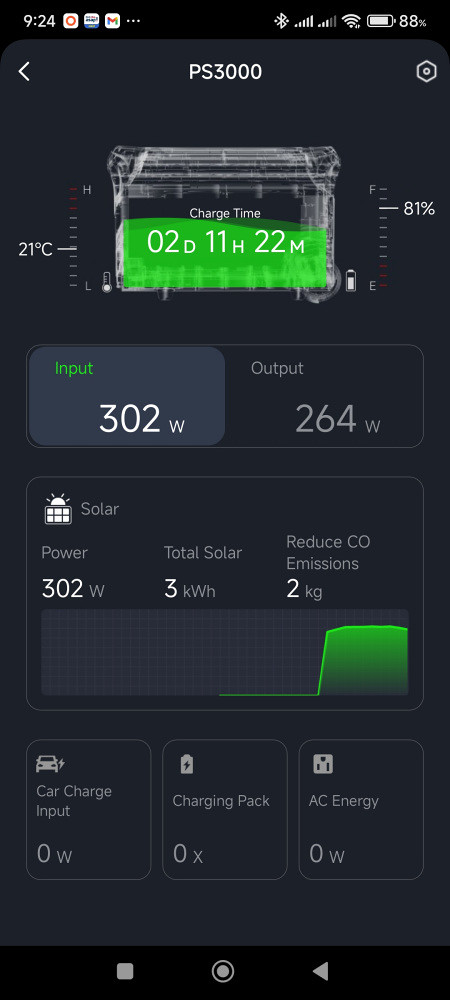
A typical opening screen from the Hinen app
The app uses a consistent layout across its screens, showing temperature, state of charge, and either time to full charge or estimated remaining runtime. This information is presented clearly and is generally easy to interpret.
With the Input tab selected (as shown above), information related to charging is displayed.
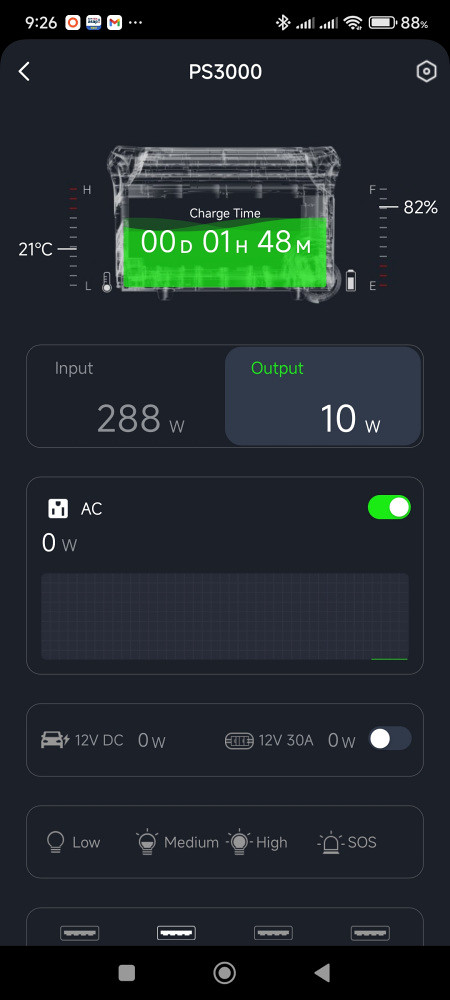
The Output tab selected
The Output tab provides access to the AC and DC control switches as well as the total power being used by each.
Scrolling further down shows which USB ports are currently in use, along with the power drawn by each.
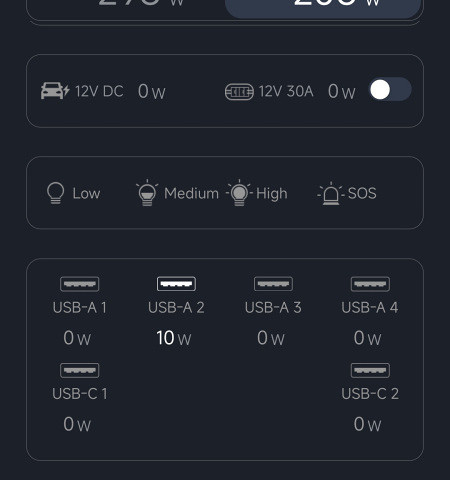
The USB ports being used
Note: The Charge/Discharge time estimates shown in the app are only updated while the display on the PS3000 is active. Once the display times out, the last estimate is retained. Other values continue to update.
Tapping on the settings icon (a nut) on the top right opens the settings screen.
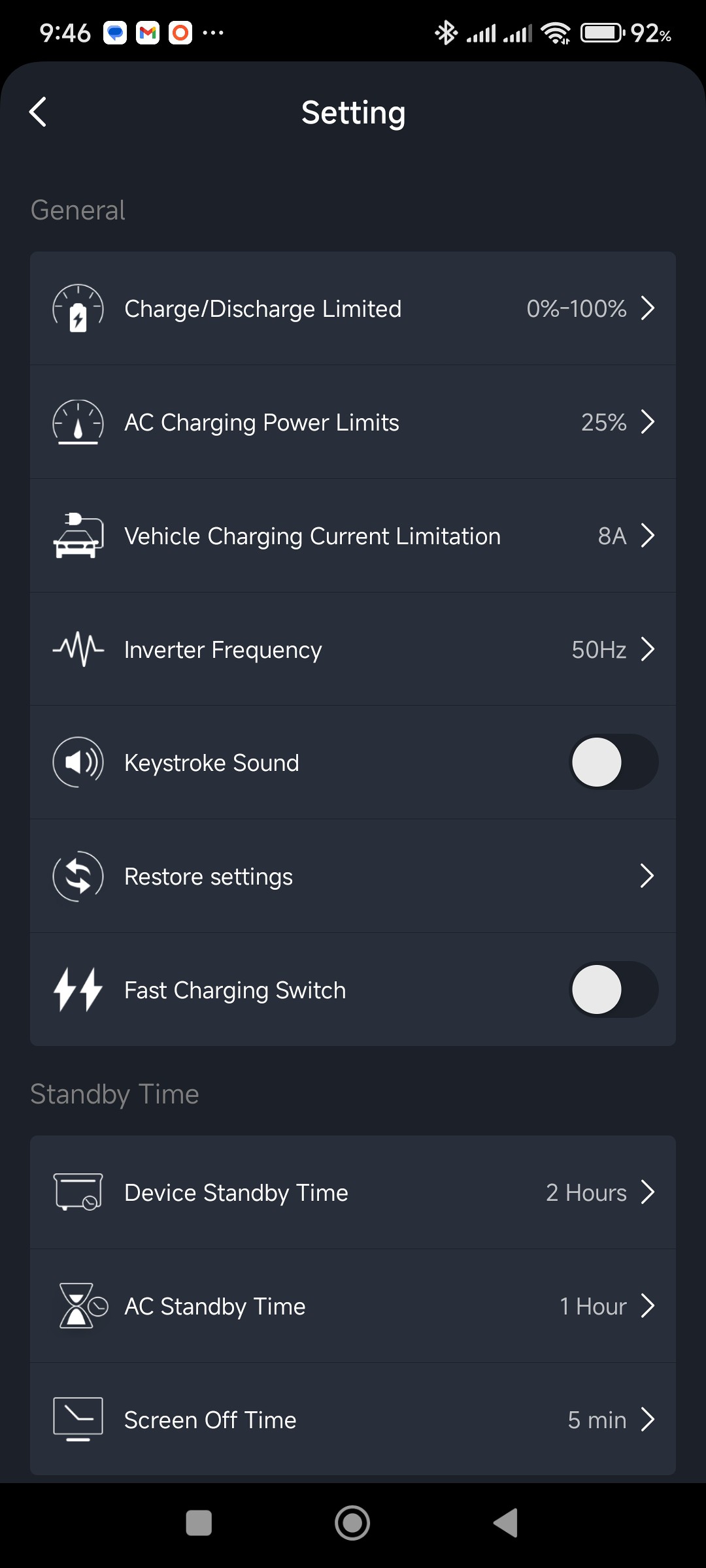
The Settings screen
Some aspects of these settings are also discussed under appliances and charging on the PS3000's main page.
Settings, as well as Total Solar and Reduce CO Emissions, must be stored on the box as changes can be made (on the box) without an Internet connection. Once an Internet connection is re-established, the app will pick up any changes.
22 April 2026 (updated: 5 Nov 2026)
Back to Hinen PS3000.
