Android Software
Bixby wakes
With apologies to John Wyndham
We know what’s best for you… and it comes with a hidden menu™
Long-press the power button and behold: out of the depths rises not the familiar power menu, but a slumbering AI assistant — Gemini, or once upon a time, Bixby. Like some digital Kraken, it lurks beneath layers of “Advanced Features,” waiting to snatch control from the simple, rational act of powering down your own phone. Samsung has once again reminded us that what’s best for you is rarely obvious, often hidden, and occasionally requires a minor voyage just to power down or reboot your device — or, if you’re unlucky, to face the twins...
Problem
With the upgrade to One UI 8.0, Samsung has reprogrammed a long press on the power button to call up Gemini. With One UI 7.0, Samsung introduced a feature where the USB port is forced to sleep if not used for a period of time. The only way to wake this port is to reboot the device. When One UI 8.0 put the USB port to sleep, I fell into a panic when, instead of the power menu, I ended up with the twins...
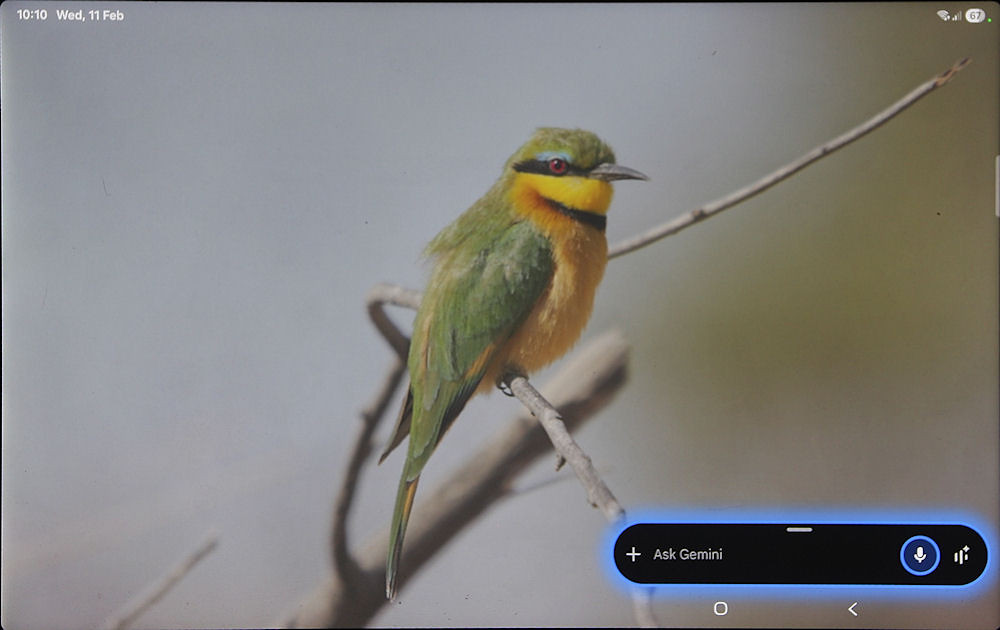
Default long press on power button
I had to do a Google search to find out how to reboot my tablet, as the power button no longer did its prescribed job!
In fact, Samsung no longer refers to this button as the “power button”, but as the “side button” — a subtle but telling rename, given that powering off or rebooting the device is now a configurable afterthought rather than the default behaviour.
(10 February 2026)
Returning power to the button
The power menu is now located under Advanced features in the system settings.
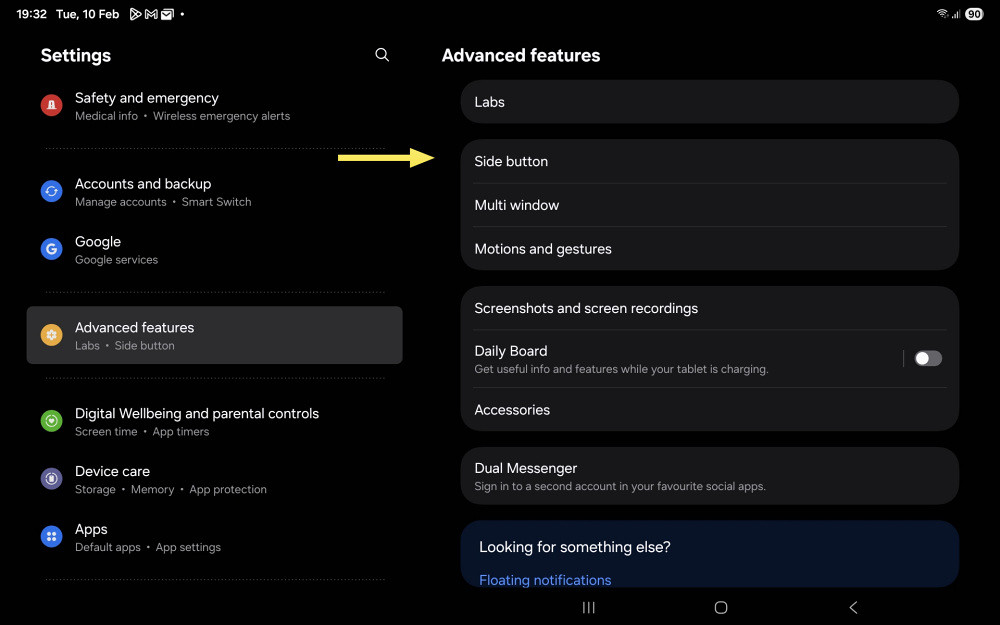
Advanced features with the Side button option
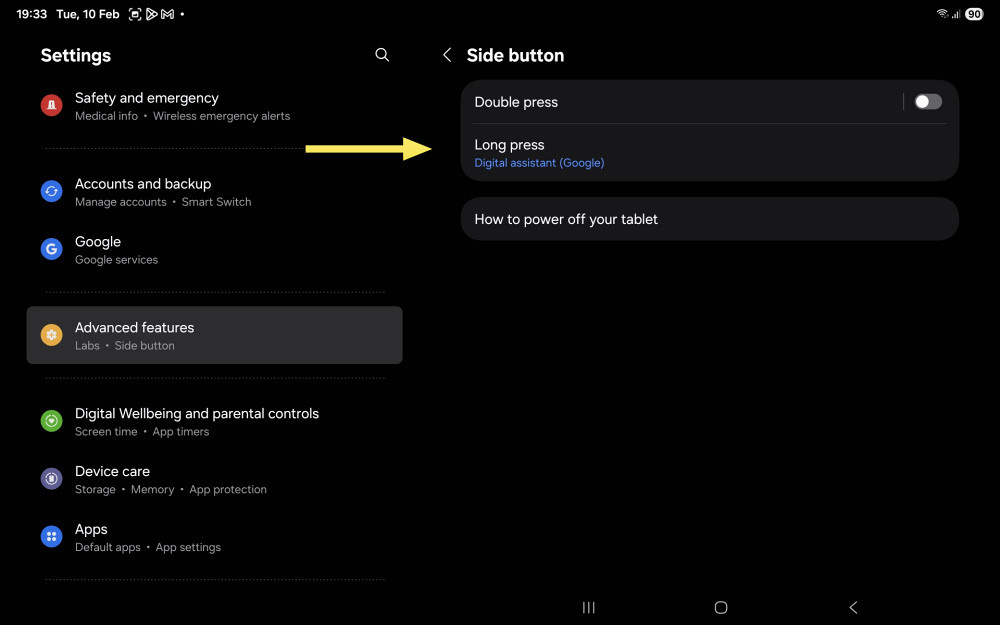
Long press option under Side button
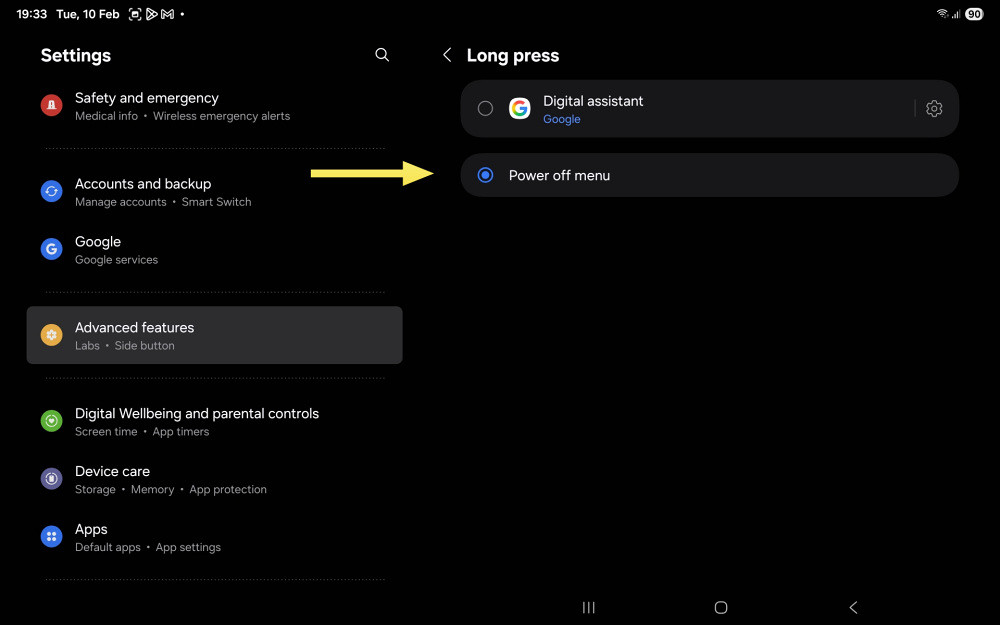
Power off option under Long press
Select Power off menu.
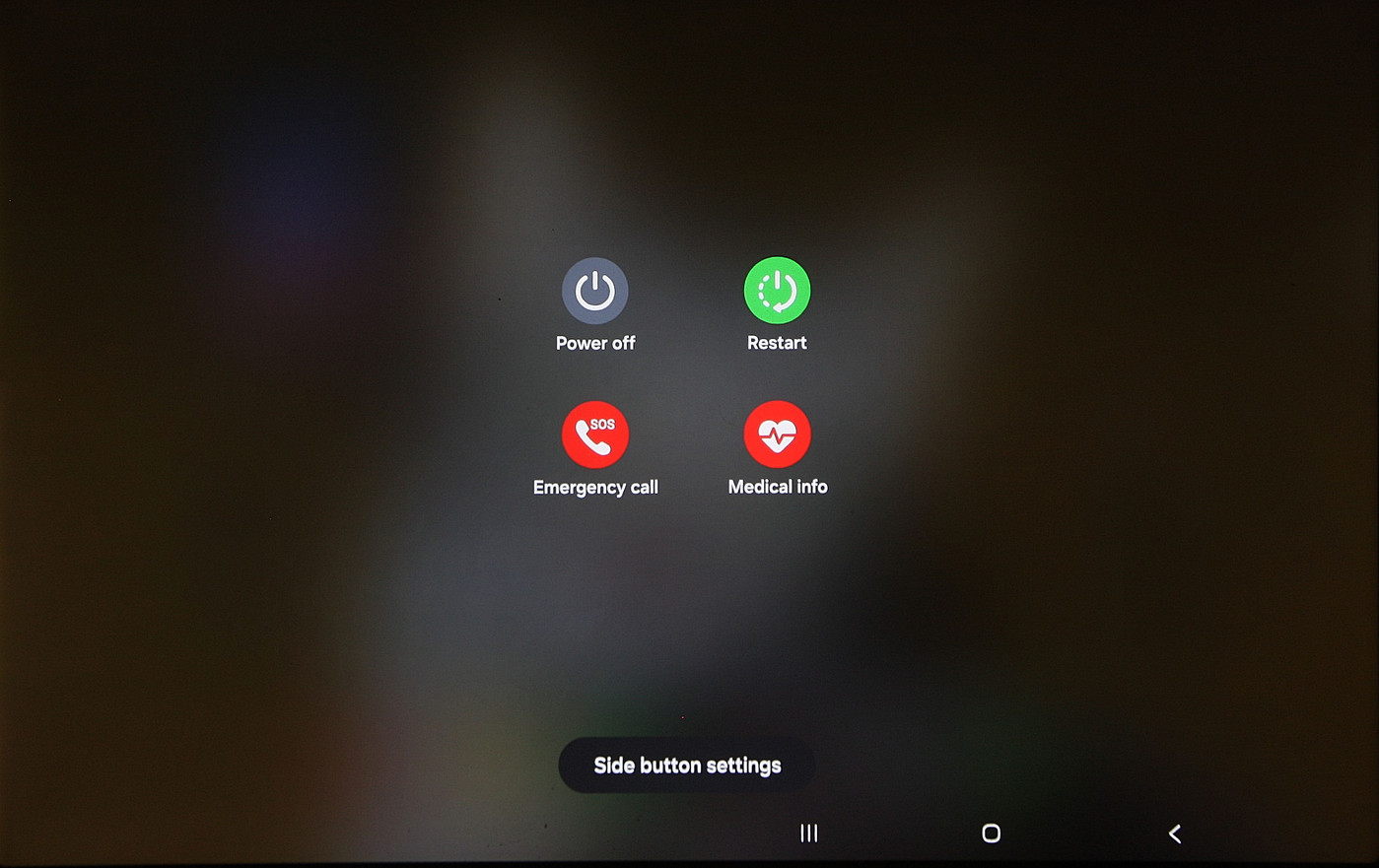
Power returned to the power button
The power menu screen provides access to the Side button settings; the assistant screen does not.
For what it's worth, when a digital assistant is assigned to the power button, the power menu can still be accessed by pressing the power button and volume down simultaneously. This combination was formerly used to take a screenshot — and still does when the power button performs its original function.
(12 February 2026)
Concluding remarks
Modern Android allows the long press of the power button to launch a digital assistant, with manufacturers determining the default behaviour. Some still retain the traditional power menu as the primary action.
On Samsung devices, the button can be reassigned to any installed assistant — including ChatGPT — although the traditional power function is no longer the default.
Bixby, for its part, is being rebuilt rather than buried.
The Kraken, it seems, is not retreating...
(11 February 2026)
Footnote
Some extra effort was needed to get some of the screenshots shown here.
(13 February 2026)
Update
Alas, the denizens of the deep have spread further than first reported. It is no longer only Bixby that seeks dominion over the Power button. A second presence has surfaced — not summoned by Samsung, but rising from the deeper currents of Android itself. The encroachment was broader than expected.
The good news? This creature, too, may be dismissed — though not slain, merely uninvited.
Banishing the Beast from the Power Button
If holding the Power button now summons a digital familiar rather than the dignified “Power off” and “Restart” icons, the spell can be undone.
- Open Settings.
- Descend into Accessibility features.
- Select Shortcuts & gestures.
- Tap Google Assistant (sometimes labelled Digital Assistant).
- Disable Wake with Power button.
Once this switch is turned off, the long-press of the Power button should once again perform its ancient and noble duty — offering the simple choice to power off or restart, rather than awakening another voice from the depths.
(14 February 2026)
