Android Software
Samsung One UI 7.0 OTG issues
Recently, my Samsung Galaxy Tab A9+ got an update to One UI 7.0 (Android 15) and with that update I lost OTG functionality. I had to reboot the tablet in order to be able to access any OTG device. For this particular problem Google was pretty useless, with one bright spark even recommending formatting the flash drive. The drive worked perfectly, with the same OTG cable, on my phone. The same combination also worked perfectly with One UI 6.1 on the same tablet, so something in the update caused the problem.
As I mentioned, rebooting the tablet allowed the OS to pick up the OTG device as soon as it was plugged in. However, having to reboot the device every time I wanted to use a flash drive would drive me insane given how long modern Android versions take to boot.
Searching the settings for OTG yielded nothing, so I had to try something else to find the problem.
One of the things I tried in order to find a solution, was first activating Developer Options to see if one of the settings under the Default USB configuration would achieve anything.
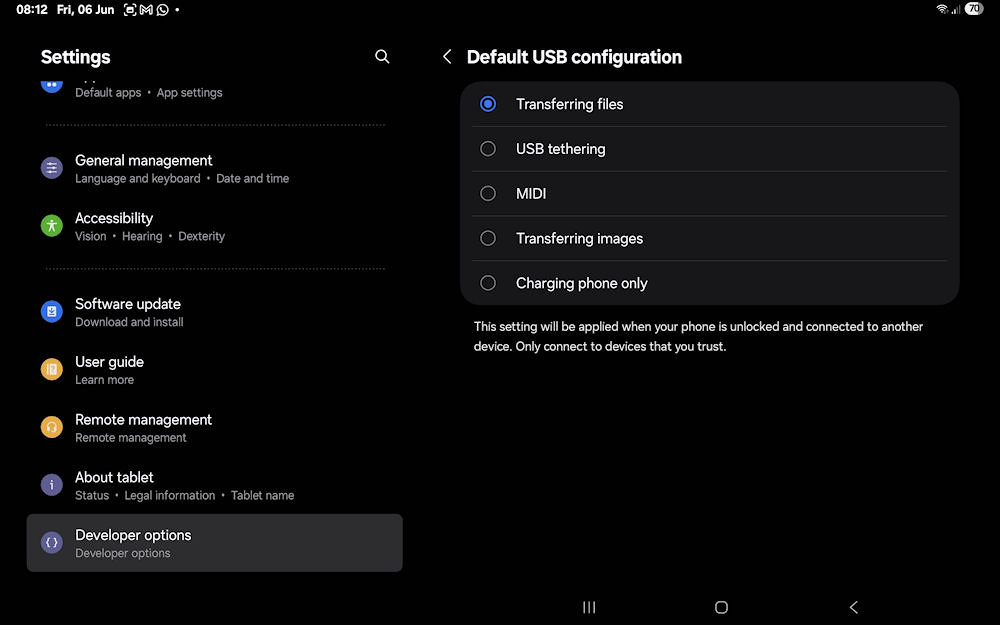
Default USB configuration
None of these were set, so I tried them all (except Charging phone only). None of them had any influence on the problem. I left it set on Transferring files as there was no way to switch them all off again.
So, the next thing I tried was searching for USB in the device settings. The first hit was a security setting, but the wording intrigued me:
To protect your data, prevent USB devices from connecting when your tablet has been locked for more than an hour.
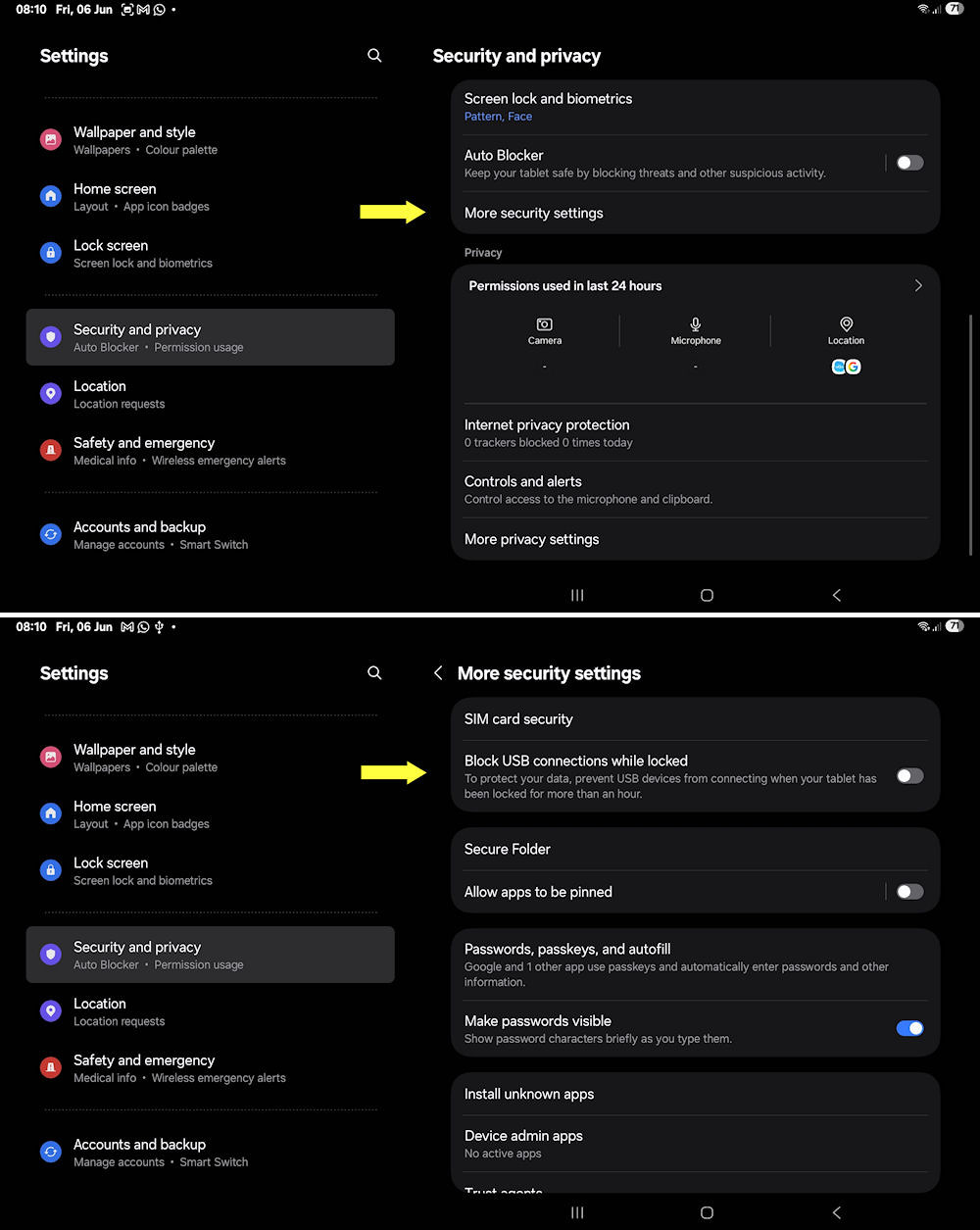
USB setting under the Security settings
I switched this off, but still had no OTG connection. However, I realised from having to reboot, that once this setting kicked in, the only way to reset it was to reboot. After rebooting, the OTG connected and would reconnect, regardless of the time between uses of the OTG.
This strongly suggests that One UI 7.0 introduces a persistent USB security or power-management state that is not cleared when the device is unlocked, only on reboot.
(9 June 2025)
Update
Unfortunately, my fix mentioned above does not always work. Samsung has done something really weird with One UI 7 and the OTG functionality. A workaround I found by accident is after rebooting the device, plug in the OTG cable (with a flash drive connected) and immediately pull it out without accessing the drive. This throws up an error:
A USB storage device was removed unsafely. To prevent your tablet from restarting unexpectedly, save unsaved data and restart now.
Do not restart. This error seems to keep the port open and the OTG device could still be accessed for more than a week after the error was triggered.
On using the USB port with an OTG device, the OTG notification for unmounting the device is still given and works as expected. The existing unsafe removal notification remains even after the OTG device is removed.
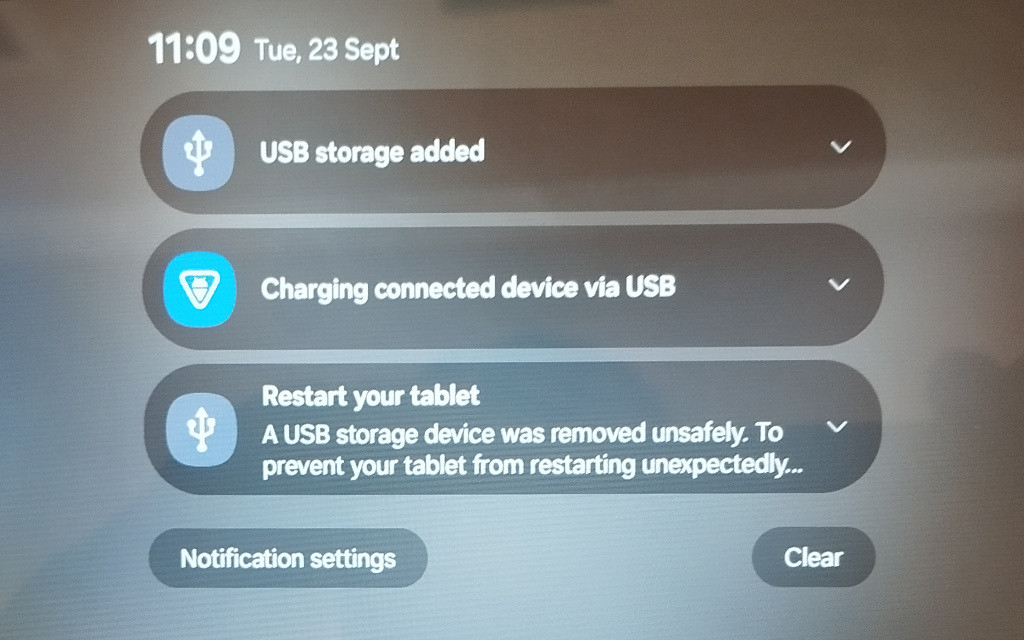
Showing OTG notifications
This fix is also not foolproof as it fails occasionally. If it does fail a reboot will restore OTG functionality.
(23 September 2025)
Concluding remarks
This seems to be one of those cases of "Google/Microsoft/Samsung/whoever knows what's best for you™", where something works well, but the analysts feel that they need to do something to protect the masses from who knows what. In making these changes, they break things due to inefficient and ineffective programming and testing.
All the major software companies are pushing cloud storage. However, as mentioned elsewhere, cloud storage does not always work. Having data on a flash drive is just as portable as cloud storage.
(23 September 2025)
Update: One UI 8 Stability
Under One UI 7, OTG would consistently fail within a maximum observed uptime of nine days, requiring a reboot to restore functionality.
Since upgrading to One UI 8, there was one OTG failure shortly after the upgrade (documented in the Bixby chronicle). Following that incident, the device reached six weeks of uptime with no further OTG issues.
A system notification prompting a reboot for “optimisation” was intentionally deferred for testing purposes during that six week period. The device was rebooted after a security upgrade, thus ending the test.
This suggests that the underlying OTG stability problems observed in One UI 7 have been addressed in One UI 8.
(16 March 2026)
