Portable Power Supplies
Hinen PS3000 Portable Power Supply
The ports on the PS3000
Front panel
The front panel has an information display, a power switch, a display switch, six USB output ports, and three ZA-type AC plug sockets with a dedicated AC control switch.
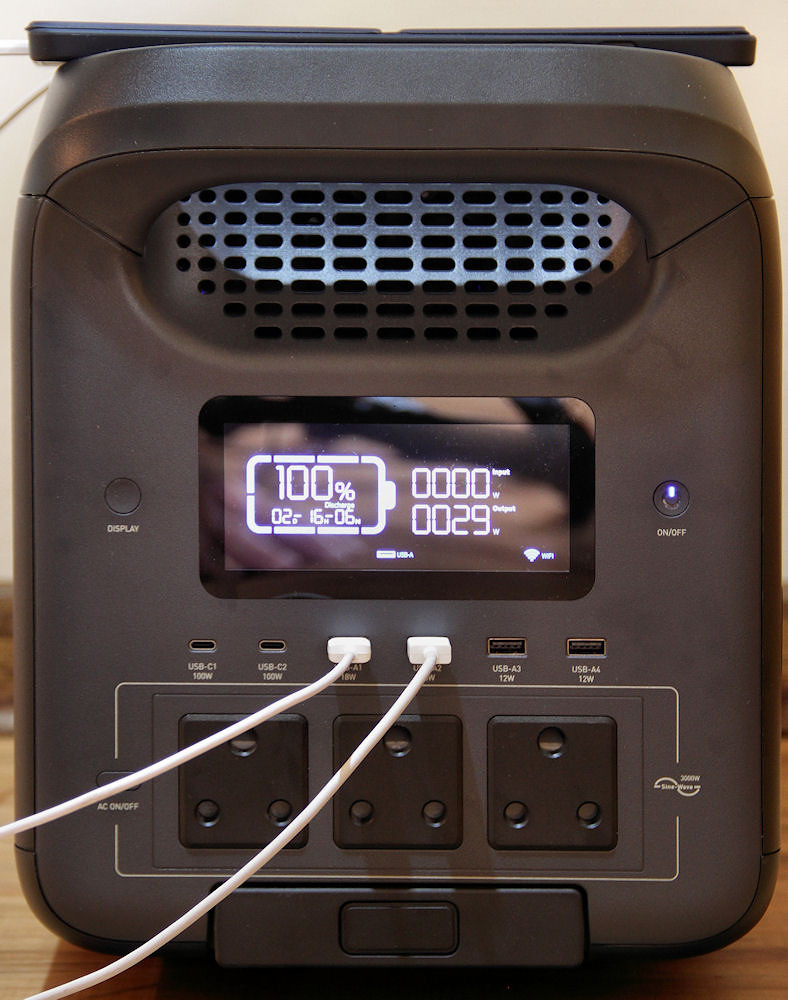
The front panel of the PS3000
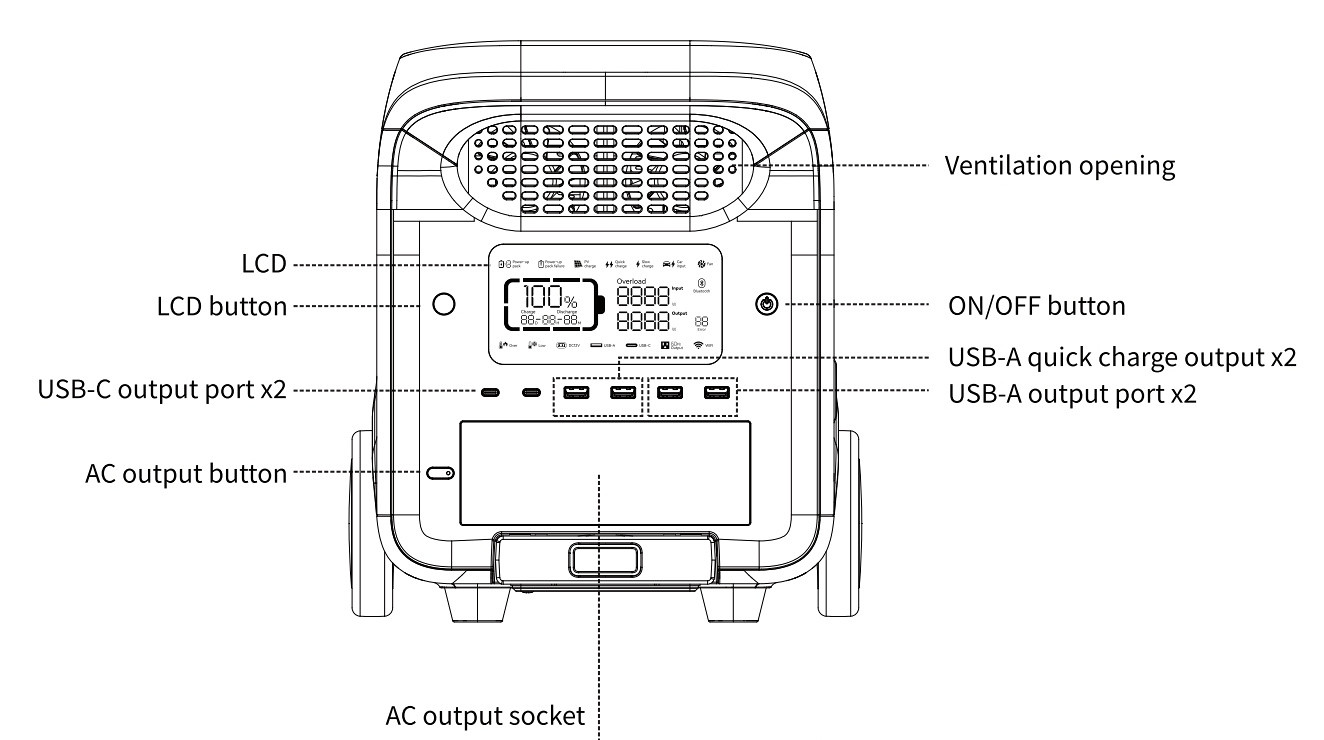
The front panel, from the manual
The display panel contains useful information, some of which is not available in the companion app.
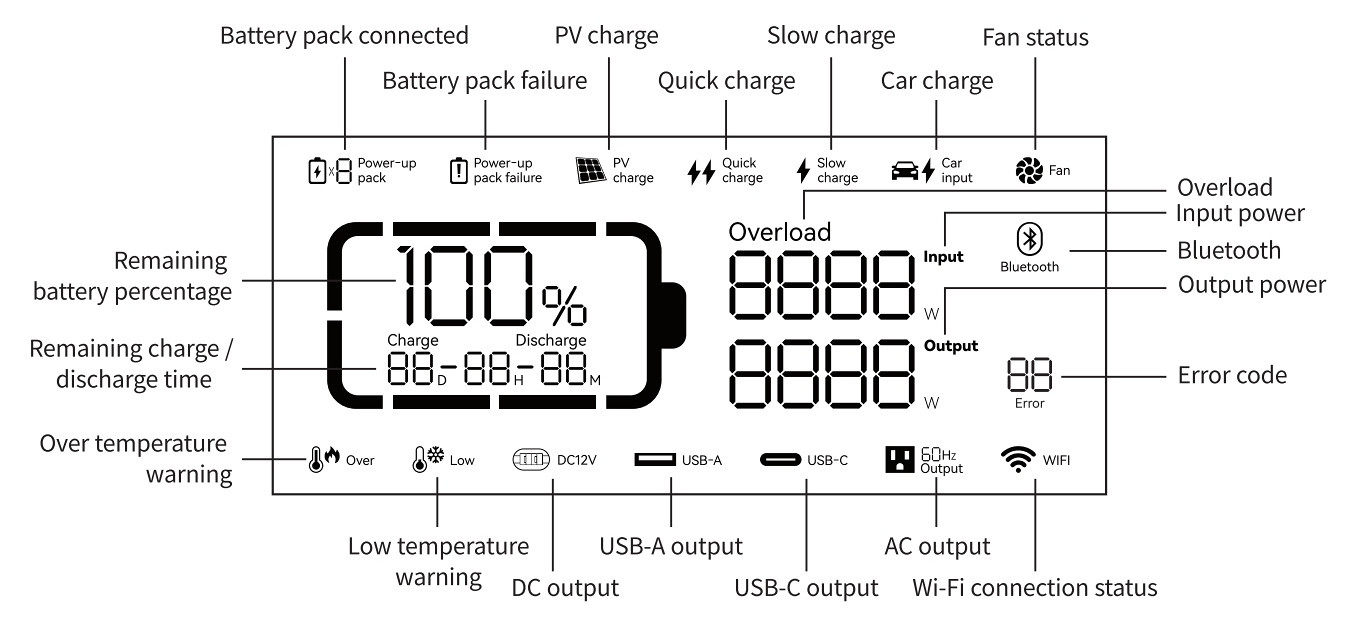
The display panel, from the manual
The ZA-type plug sockets are a useful feature as many brands have Euro-type sockets and supply an adapter — these adapters often block adjacent ports and add an unwanted protrusion to the unit.
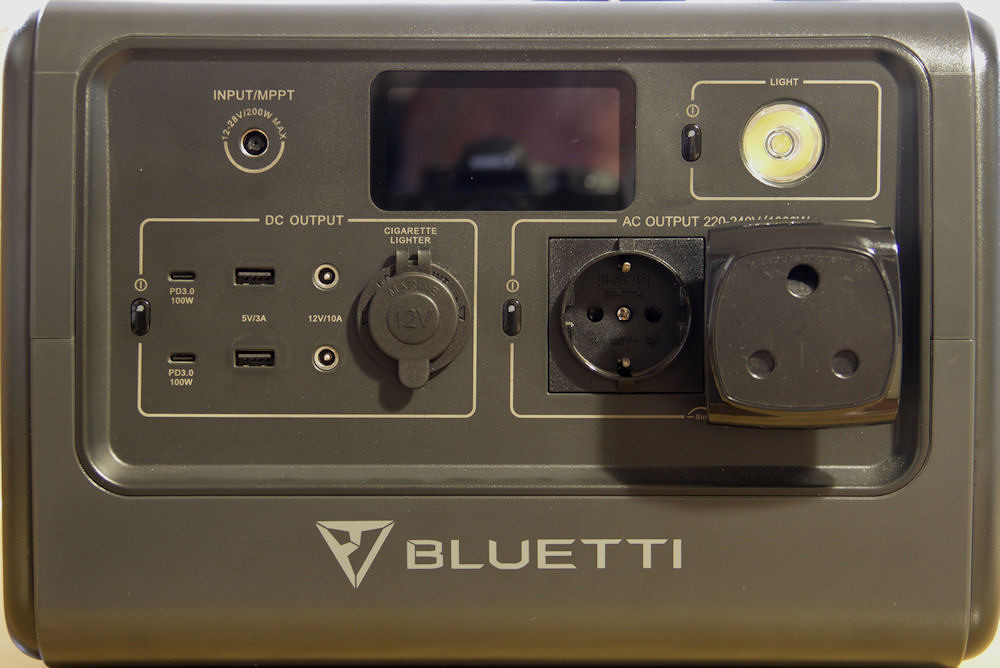
The adapter on the Bluetti EB70
Once the PS3000 is switched on, the display and the USB ports are activated. The default display timeout is five minutes, but this can be changed in the app.
The USB ports, from left to right:
- Two USB C ports (100 W max)
- Two "fast charge" USB A ports (18 W max - blue core)
- Two USB A ports (12 W max - black core)
There is no indication as to whether these maximum values apply per port or per pair. However, when charging both a Xiaomi Note 12 and a Samsung Tab A9+ using the fast charge ports, the total output was 29 W (as shown on the display in a photo above). This suggests that each port can deliver close to its specified maximum.
This is useful when charging multiple devices simultaneously without needing to manage the load between ports.
Rear panel
All input ports are located on the rear panel. These include an AC inlet and two DC7909 ports for solar or car charging (or a suitable DC-DC source). Plugging in a live source will automatically switch on the PS3000.
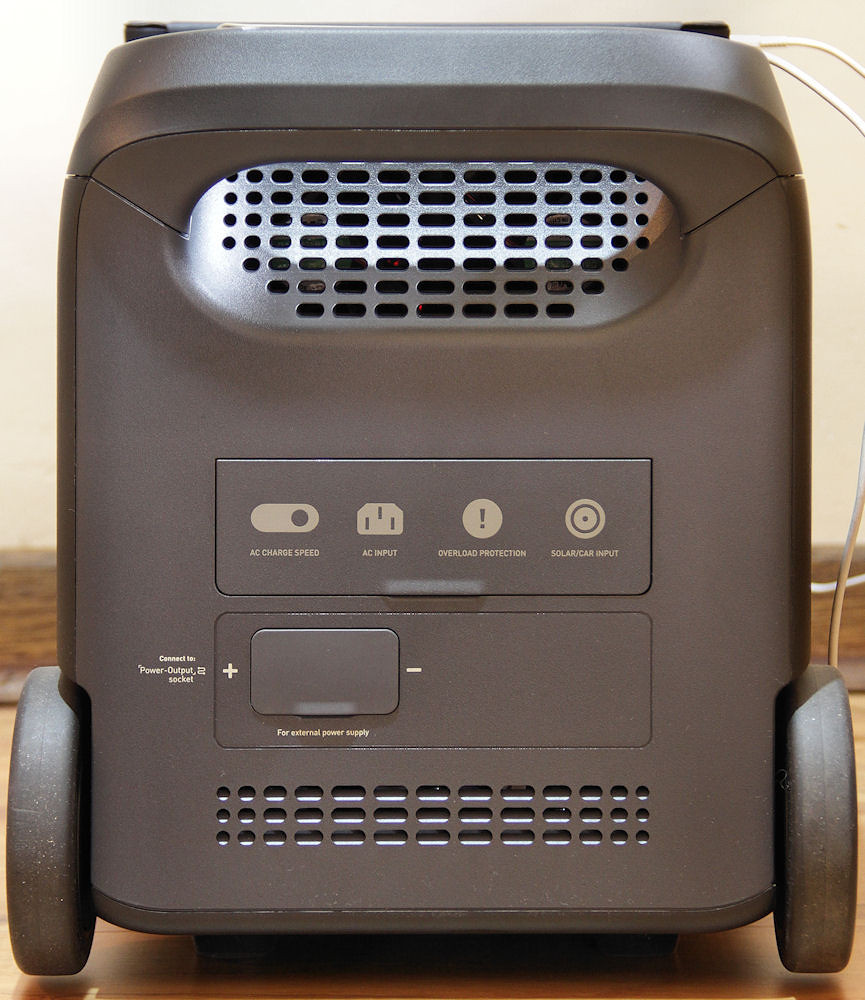
The rear panel of the PS3000
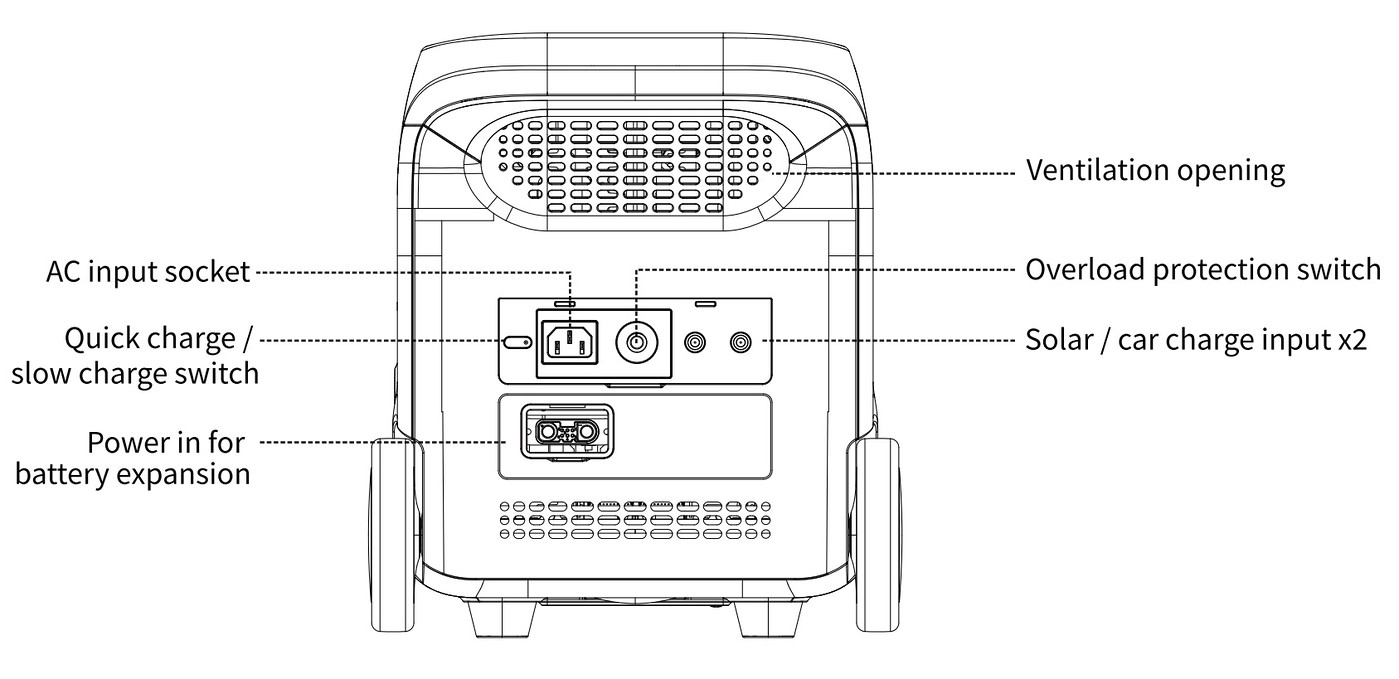
The rear panel, from the manual
As with the USB ports, the specifications for the DC7909 ports are somewhat ambiguous. The wording given is:
PV charge x2 800W Max., 13-45V ⎓ 12A
It is not clear whether the x2 applies to each port individually, or to both ports combined.
There is an overload reset button between the AC inlet and the DC7909 ports. From the somewhat vague wording in the manual, this appears to apply only to AC overload conditions.
Charging behaviour, including the AC charge control, is discussed under charging on the PS3000's main page.
There is also an inlet socket for a Hinen PS2500B expansion battery.
Side panel
The DC output ports are behind a cover on one side of the PS3000
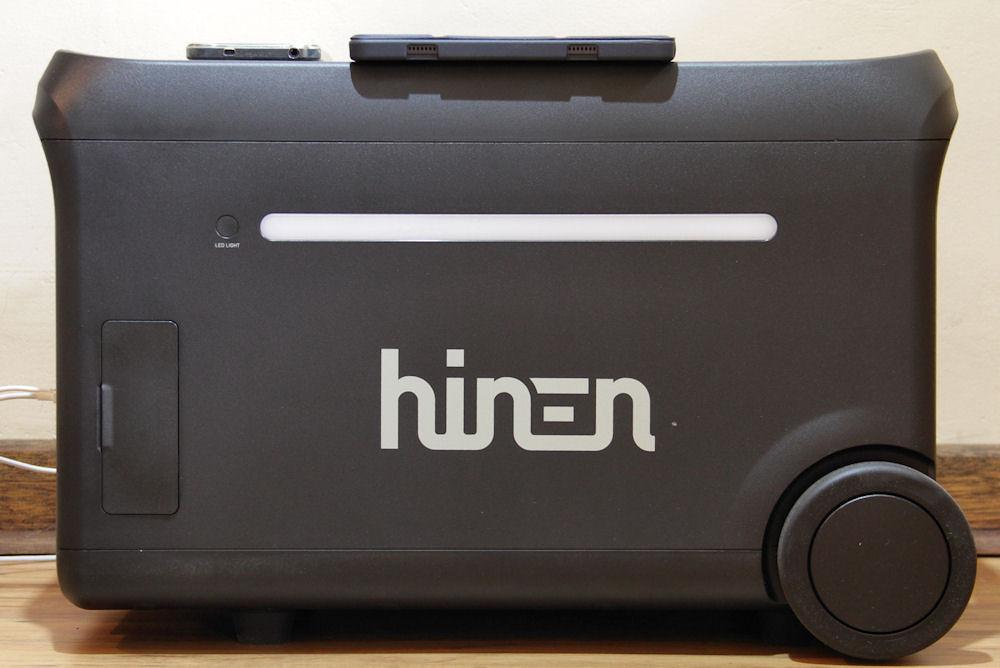
The side panel of the PS3000
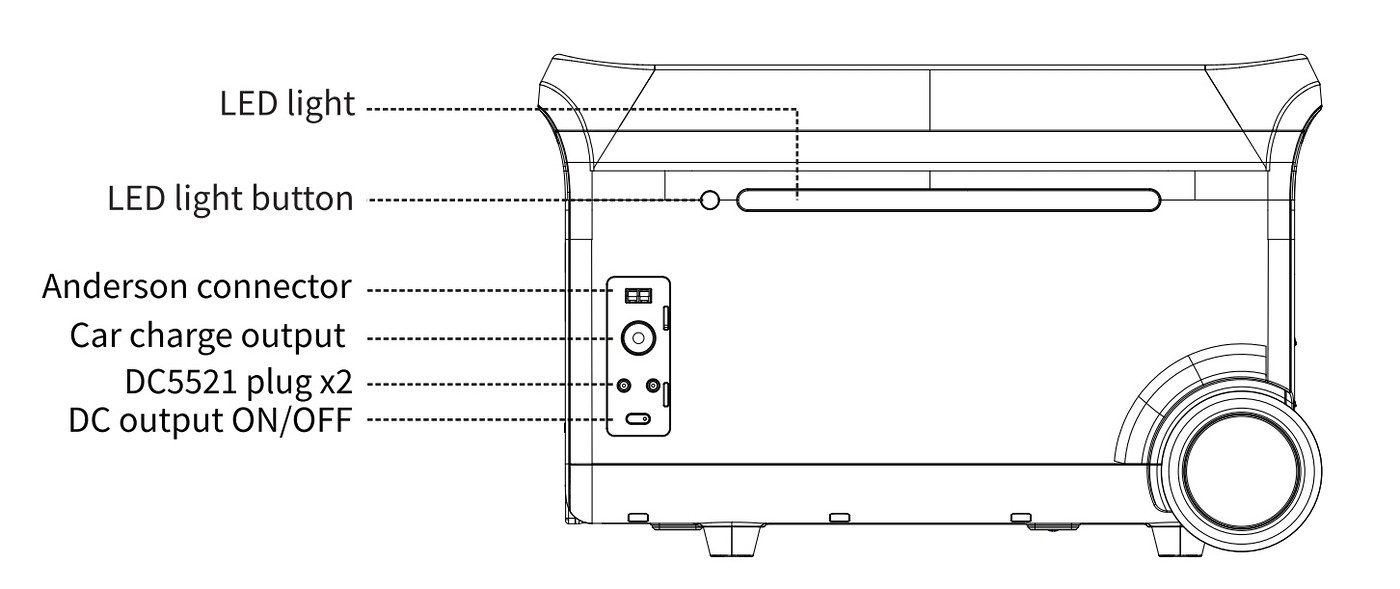
The DC output ports, from the manual
The outputs from these ports are (using terminology from the manual):
- Anderson terminal output: 12.6V ⎓ 30A max., 378W Max.
- Car charger: 12.6V ⎓ 10A, 126W Max.
- DC5521 output x2: 12.6V ⎓ 3A
Here, the manual is quite specific:
Car charge and DC5521 share power, 126W Max.
The "car charger" in this case refers to the cigarette lighter output socket.
This shared limit means that these outputs cannot be used simultaneously at their maximum ratings.
I have not yet tested these ports in detail. The only one likely to be of practical use is the cigarette lighter socket. This successfully charged the Jackery 500, but attempting to charge the Bluetti EB70 caused an overload error on the PS3000 using the cigarette lighter cable supplied with the PS3000.
I have since found that the PS3000 will charge the EB70 using the EB70's own cigarette lighter cable (PS3000: 106 W; EB70 99 W). As mentioned on the PS3000 main page under charging, the PS3000's cigarette lighter cable has been modified to limit car charging to 8 A (roughly 100 W). This modification is perhaps the reason for the PS3000's cable not being able to charge the EB70.4 November 2026
Update: I recently found a red/black Anderson (RB) to grey Anderson adaptor on Takealot. I already had a grey Anderson to DC7909 adaptor which I bought while testing the Enertech solar panel. This meant I could use the RB output to charge the EB70, as well as supplying power to any other device requiring a grey Anderson connection.
One problem with the adaptor was that the polarity of the RB connector was reversed for the PS3000. Fortunately, slitting the heat-shrink covering the terminals allowed me to swap them around. After doing this, I was able to charge the EB70 without any issues.
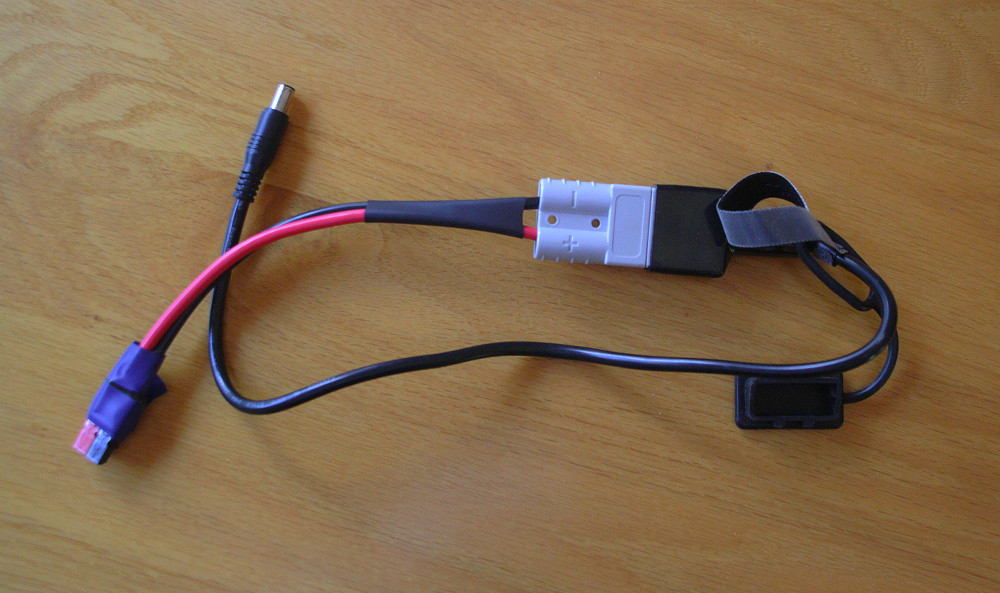
Anderson RB to DC7909 adaptor
What totally mystified me was that the the Bluetti can take 200 W of input power, the RB port on the PS3000 can deliver 378 W, yet only 111 W went into the Bluetti (103 W on Bluetti's meter).
(updated: 4 November 2026)
Timeouts
The following timeout behaviour should be noted:
- The unit will power down after two hours if there is no input or output activity.
- The inverter will switch off after one hour if there is no load.
- If devices with long standby times are connected, these timeouts may need to be adjusted in the app.
Having a timeout on the inverter is very useful, as it consumes a fair amount of power, even if no load is present.
22 April 2026 (updated: 5 November 2026)
Back to Hinen PS3000.
